
Best accountability app for coaches: what to look for?
Best accountability app for coaches: what to look for?
A good accountability app for a coaching practice brings goals, check-ins and a client portal together in one workspace built specifically for coaching. This isn't about generic habit trackers, but about practice software that lets you track client trajectories between sessions. You can try the app for free during a short trial period before you decide.
In short:
- A good coaching accountability app combines goals, check-ins, session notes and client management in one user-friendly workspace, tailored to coaching trajectories.
- The portal enables clients to view and adjust their own goals, actions and progress, which encourages ownership.
- Critical evaluation points include a genuinely task-focused client portal, an adjustable check-in frequency, and data security through EU hosting and extra login protection.
- A good tool connects to existing calendars and communication platforms such as Google, Outlook and Zoom, and provides insight into progress through charts and timelines.
- Test with one client trajectory first, use standard templates and set an appropriate rhythm to prevent the system from disrupting your practice.
Table of contents
- What exactly does Exantur do for your practice?
- What should you look for when choosing an accountability app?
- How do accountability features work in practice?
- How to set up an accountability system
- What does accountability actually mean in coaching?
- Why an integrated workspace makes the difference
- Start your trial with Exantur
- Sources
- Frequently asked questions
What exactly does Exantur do for your practice?
This software is built specifically around the coaching trajectory: from intake to completion, with everything that happens in between.
For accountability, this means you can see in a single screen which goals a client has set, which actions follow from them, and how progress is developing. You record session notes as observations, insights, breakthroughs and action points, so you can track progress without having to leaf through separate documents.
The key components that make accountability concrete:
- Client management and trajectories: each client gets their own file with goals, progress and history.
- Check-ins between sessions: clients fill in updates themselves, so you don't have to ask about every step.
- Assessments: DISC profiles and the Wheel of Life give structure to the intake and interim measurements.
- Client portal: clients see their own goals, assignments and progress, and can prepare for sessions.
- Practice management: online booking with automatic reminders, calendar synchronization with Google Calendar and Outlook, a Zoom integration and invoicing via a linked payment account.
When it comes to privacy, hosting is handled within the European Union, with separate isolation of data between organizations, and logging in with an extra verification step (MFA, short for multi-factor authentication: in addition to your password you have to provide a second confirmation, for example via your phone). A data processing agreement is available. Please note: the software itself does not automatically make your practice fully GDPR-compliant. You remain responsible for how you handle client data, but this software is designed to support you in doing so.
What should you look for when choosing an accountability app?
Not every tool with "accountability" in the name is also suitable for a coaching practice. A good assessment starts with five concrete points.
- A client portal with real task follow-up. Can the client see their own actions, goals and progress, or do you have to forward everything manually by email?
- Check-in frequency and question design. Can you set how often a client completes a check-in, and adjust the questions to the trajectory?
- Goal measurement with an overview over time. Look for charts or timelines that show progress, not just a loose list of appointments.
- Notes you can search later. Session notes that you link to actions and can find again without scrolling through months of text.
- Integrations you already use. Calendar synchronization with Google or Outlook and a Zoom integration save you time every day.
Also look at how a provider handles data protection: where is the data stored, is there a data processing agreement, and can you secure login with an extra verification step? For small practices this is often a blind spot, while in the event of a data breach it is your responsibility.
Finally: how quickly can you get started? A trial period or demo with no obligations tells you more about a tool than any sales copy ever will.
Pro tip: Always test a new accountability app with one active client trajectory, not with your entire client base at once. That way you'll notice within two weeks whether the check-ins and the portal fit how you work, without one misstep immediately disrupting your entire practice.
How do accountability features work in practice?
A goal that only exists on paper disappears. A goal that is linked to a check-in and a session stays alive. That's the difference good accountability software makes.
Linking goals and actions to sessions. When you record a goal, you attach concrete actions to it. Those actions come back in the next session, so you discuss what did and didn't work out, instead of starting over.
Check-ins as a fixed ritual. A client who regularly answers short questions stays more actively engaged than someone who only reports during the session itself. Research into accountability in coaching shows that structured monitoring, with goals and fixed checkpoints, increases the likelihood of achieving goals.
Searchable session notes. Notes you label as observation, insight, breakthrough or action point make it possible to find, three months later, exactly when a pattern first appeared.
The client portal as an ownership tool. As soon as a client sees their own progress and ticks off their own actions, responsibility shifts a small step from you to them. That's precisely what good coaching is built on: you safeguard the process, the client remains the owner of the result.
Reminders that enforce consistency. Automatic notifications for check-ins or deadlines ensure that follow-up doesn't depend on the client's memory or your own calendar discipline.
A digital system that provides overview and fixed trajectory phases also reduces the administrative burden that many coaches with multiple clients experience, as shown by practical advice on tracking client progress.
How to set up an accountability system
A working system doesn't come together after one evening of tinkering, but with a few clear steps you'll get up and running quickly.
- Build a fixed trajectory. Divide each coaching trajectory into phases: intake, goal setting, check-ins along the way, evaluation at the end.
- Prepare your templates. Create a standard intake form and link assessments such as DISC or the Wheel of Life to the first session.
- Choose your rhythm. Decide for each client whether a check-in fits weekly or biweekly, and set reminders so no one misses a moment.
- Use notes as preparation. Before each session, read back the latest check-in and the previous notes, so you're fully up to speed again within a minute.
- Steer without taking over. If you see a client getting stuck, discuss it in the session rather than completing the action yourself. A simple standard that works well: intake with goals, short periodic check-ins, session notes with linked actions, and a monthly report to the client.
What does accountability actually mean in coaching?
Accountability in coaching comes down to three things: a clear goal, regular check-ins, and a client who remains the owner of their own actions. Without that combination, coaching becomes a series of loose conversations without any build-up.
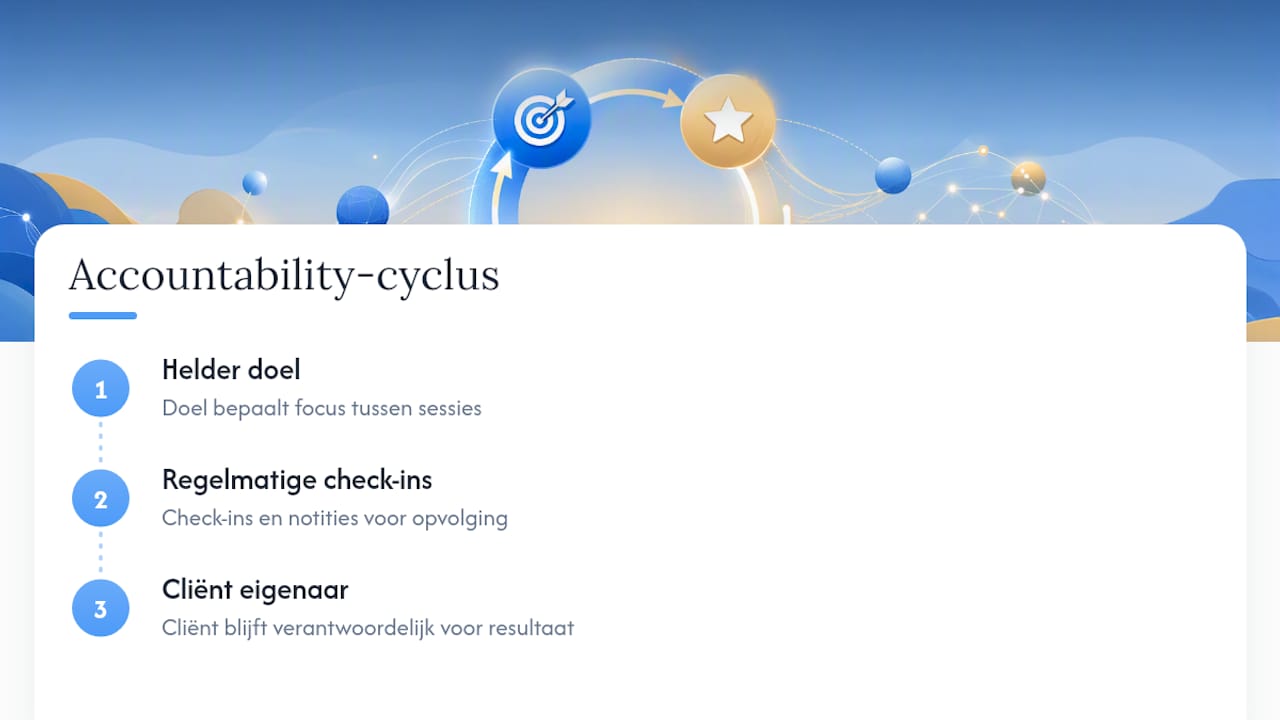
A goal without a check-in disappears after the session. A check-in without a clear goal produces only noise. Only the combination of both, supported by notes you bring back into the next session, creates a running story instead of starting over each time.
Importantly, accountability doesn't mean you take over the responsibility. You are responsible for the process: the structure, the questions you ask, the guidance between sessions. The client remains responsible for the result. That distinction is widely recognized in coaching practice and it is precisely where software can play a role without disrupting that role. A client portal in which someone keeps track of their own progress reinforces that ownership rather than replacing it.
Technology supports this process, but does not replace the relationship between coach and client. An app can send a check-in, but the conversation that follows remains human work.
Why an integrated workspace makes the difference
I too often see coaches using five tools side by side: a scheduling app, a separate form for intakes, WhatsApp for check-ins and a spreadsheet for progress. Every switch between those tools costs time and increases the chance that something falls through the cracks.
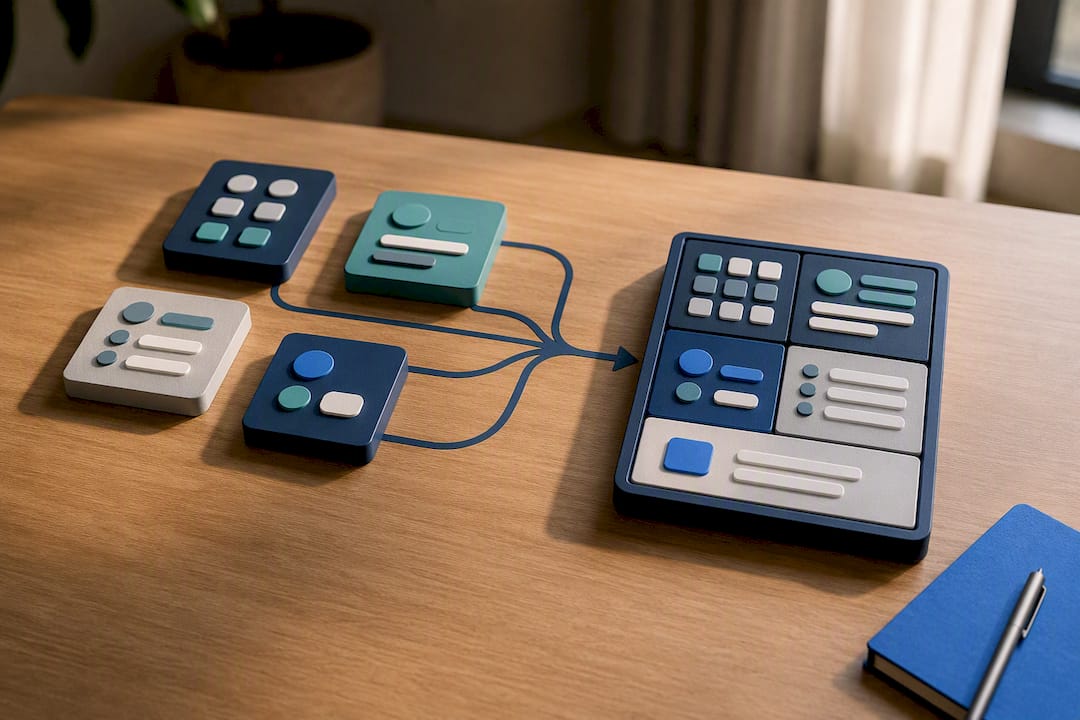
What really makes accountability work is not the number of features, but whether everything is connected. A check-in that stands apart from the session note that stands apart from the goal produces three separate pieces of information instead of a running story.
As a coach you remain responsible for the process: the structure and the guidance. The client remains responsible for the result. Professional frameworks from organizations such as NOBCO and similar associations confirm that distinction, and no app should take it over. Software is a tool to keep those responsibilities visible, not to shift them. Supervision and peer review therefore remain just as important as the tool you use.
— Martijn
Start your trial with Exantur
Other routes such as standalone scheduling apps, spreadsheets or generic project tools never fully solve accountability: they lack the client portal, the linked session notes and the EU hosting that coaches need. Exantur does bring that together in one workspace, built specifically for coaching trajectories rather than adapted from a generic tool.
You start with a free trial period at no cost, after which the chosen subscription starts automatically unless you cancel before the end. After that period, the chosen paid subscription starts automatically unless you cancel before the end. Want to see first how the client portal and check-ins work in practice? Take a look at the accountability software for coaches and then start your trial period right away via the best practice management software for coaches.
Sources
Want to read more about the theory and practice behind accountability? Hoving Hand Partners explains techniques and definitions, Rapasso describes how to structurally track client progress, and De Ondersteen goes deeper into the boundary between process responsibility and result responsibility. For background on progress checks in learning trajectories, this overview from Thinkmedia is a useful addition.
- Accountability in coaching: definition, techniques and examples
- From start to success: tracking client progress - Rapasso
- Why a coach is never responsible for results, but is accountable - De Ondersteen
Frequently asked questions
What exactly is an accountability app for coaches?
It is practice software that lets you track clients' goals, check-ins and progress between sessions, with a portal where the client can see their own actions and results.
Is Exantur suitable for a solo practice?
This software is suitable for both solo coaches and small practices, with client management, check-ins and a client portal that you can set up around your own way of working.
How often should I schedule check-ins?
Weekly or biweekly works well for most trajectories. Choose the frequency based on the intensity of the trajectory and adjust it if a client needs more or less guidance.
Does the software take over the client's responsibility?
No. A good accountability app supports your process responsibility as a coach, but the client always remains responsible for their own results.
Can I try Exantur for free first?
A free trial period is available. After that, the chosen subscription starts automatically unless you cancel before the end.