
Paperbell vs CoachAccountable: which one suits you?
Paperbell vs CoachAccountable: which one suits you?

In short:
- Exantur offers European coaches a secure solution with EU hosting and structured session documentation.
- For sales-focused practices Paperbell is suitable, while CoachAccountable is more geared towards progress monitoring.
For most professional coaches in Central Europe, Exantur is the strongest choice: EU hosting in Frankfurt, a data processing agreement (the agreement that is legally required when you have personal data processed by a software provider), searchable session notes, built-in accountability features and a full operational layer with online booking, automatic reminders, two-way calendar sync and invoicing through your own Stripe account. See also our broader guide to the best coaching software for coaches. Still have to choose between Paperbell and CoachAccountable? Then a simple rule of thumb applies. Is selling packages and a smooth payment flow central to your practice? Then Paperbell fits better. Do you want to guide clients with measurable progress, assignments and detailed reporting? Then CoachAccountable is a better match. Both tools are US-hosted: CoachAccountable runs on servers in the USA (with a data processing agreement using SCCs), while Paperbell does not disclose its data location or a data processing agreement on its site. For European coaches who want EU hosting, that is a serious point of attention.
Quick shortlist:
- Exantur: professional coaches in Europe focusing on session documentation, goals, accountability and privacy.
- Paperbell: coaches who want to sell packages with a simple checkout.
- CoachAccountable: coaches who want to track clients with assignments, metrics and progress reporting.
Table of contents
- Paperbell vs CoachAccountable: a quick overview
- How do Paperbell and CoachAccountable differ in daily use?
- What does it cost and how does the price scale?
- Which integrations determine your daily workflow?
- What should coaches in Central Europe check for GDPR?
- What do user experiences say and how do you assess support?
- Which tool suits which coach profile?
- How do you properly test a platform during a demo or trial period?
- Exantur as a European option: what you can concretely expect
- Key insights
- Why European coaches weigh things up differently
- Exantur: try it for 14 days with no obligations
- Sources and where to verify details
- Frequently asked questions
Paperbell vs CoachAccountable: a quick overview
| Dimension | Exantur | Paperbell | CoachAccountable |
|---|---|---|---|
| Best for | EU coaches: session documentation, goals, accountability | Package sales and checkout | Accountability, metrics, assignments |
| Core features | Session notes, goals, check-ins, client portal, assessments, online booking, invoicing, calendar sync | Packages, payments, contracts, bookings | Assignments, metrics, progress reporting, client portal |
| Pricing model | Subscription, see pricing page | Fixed monthly fee, unlimited clients | Per active client |
| Ease of use | Structured, coaching-focused | Simple, sales-focused | Extensive, learning curve |
| Booking, payment & calendar | Online booking, reminders, invoicing via your own Stripe account (iDEAL, Bancontact, SEPA, card), two-way sync with Google and Outlook | Stripe, PayPal, booking + reminders, Google Calendar (Outlook caveated) | Stripe, Square, PayPal, booking + reminders, two-way Google + Outlook |
| Privacy / GDPR | EU hosting Frankfurt, data processing agreement, two-factor authentication (MFA) | US-leaning; data location and data processing agreement not disclosed on site | US-hosted; data processing agreement with SCCs available |
| Trial period | 14 days | Not publicly stated | — |
Other platforms in brief:
- HoneyBook and 17hats: — general business tools for quotes and invoicing, not coaching-specific.
How do Paperbell and CoachAccountable differ in daily use?
The difference isn't in the feature list, but in what you do day to day as a coach.
Booking, packages and payments
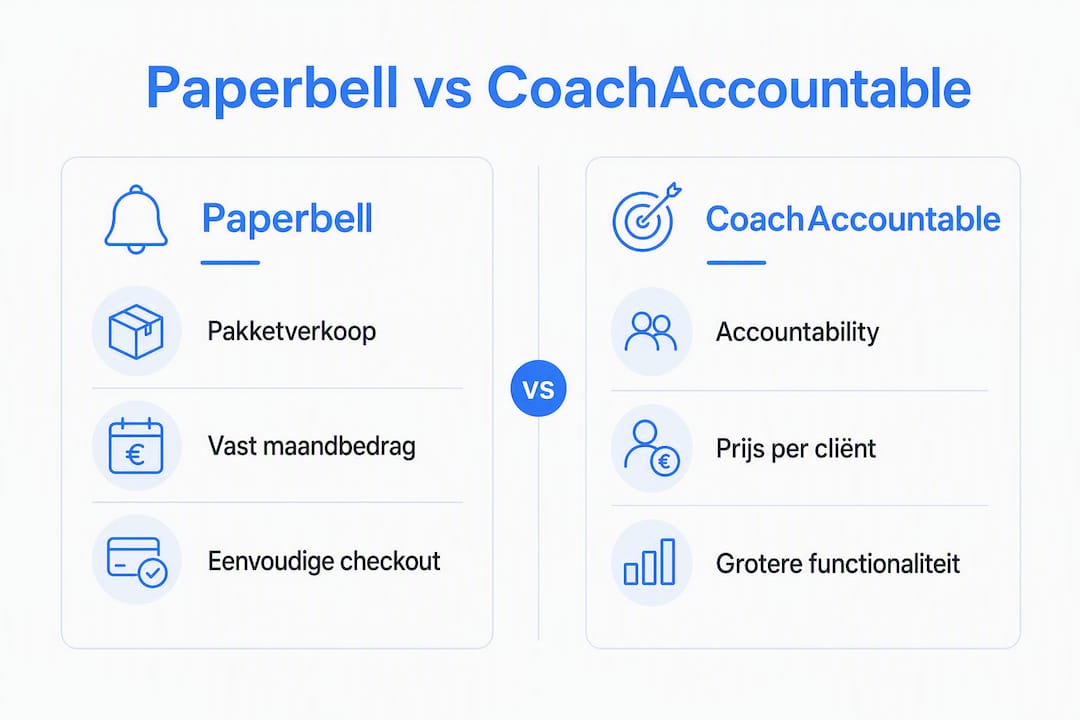
Paperbell is built around the sales flow. You create a package page, link a price and a Stripe or PayPal account, and clients book and pay independently. Contract signing is built in. This works quickly and looks polished. The downside: once a client is on board, Paperbell offers little structure for what comes afterwards. There is no mobile app for coachees and the options for interactive assignments are limited.

CoachAccountable turns this around. The sales side is simpler, but what happens after the first session is worked out in more detail. You send assignments, set measurable goals, track progress through charts and send automatic reminders. All plans give access to the same features; the price rises with the number of active clients.
Session notes, goals and accountability
Here there is a structural difference. CoachAccountable offers more than Paperbell in terms of progress measurements and assignments. But both platforms are primarily designed for the American market and have no specific structure for session documentation such as observations, insights, breakthroughs and action points.
Coaches who want to support ongoing behavioural change prioritise assignments and measurable progress tools. Coaches who value revenue from packages and an elegant checkout choose tools with built-in sales pages. Both priorities are legitimate, but they call for a different platform.
Exantur is built specifically for the second part of the coaching process: what happens between sessions. Session notes are searchable and structured by type (observation, insight, breakthrough, action point). Clients complete check-ins, view their goals and track their own progress through a dedicated portal. On top of that, Exantur has the operational features you need day to day: clients self-book via a personal or public link, automatic reminders cut no-shows, the calendar syncs two-way with both Google and Outlook, and you invoice through your own Stripe account (iDEAL, Bancontact, SEPA or card, with no platform fee charged by Exantur). There is also a public coach directory so new clients can find you.
Pro tip: During a trial period, always test the client experience from your coachee's perspective. Log in as a client and check whether the interface is clear, whether check-ins work intuitively and whether goals are visible without any explanation from you.
Group coaching and programmes
CoachAccountable supports group programmes. Paperbell offers basic functionality for group bookings. Exantur focuses on individual coaching journeys and small organisations with multiple coaches.

What does it cost and how does the price scale?
Paperbell works with a fixed monthly fee for unlimited clients. That makes budgeting simple: you know in advance what you'll pay, regardless of how many clients are active.
CoachAccountable charges per active client. For a small practice with ten clients that's manageable. But as you scale up, the price rises quickly: fifty active clients cost considerably more than five times the rate for ten. That makes growth planning harder.
| Scenario | Flat-fee model (Paperbell-style) | Per-active-client model (CoachAccountable-style) |
|---|---|---|
| — | Fixed monthly price | Low total |
| fifty active clients | Same monthly price | Substantially higher |
| 1fifty active clients | Same monthly price | Sharply increased costs |
A price per active client prevents you from paying for inactive coachees, but makes growth forecasts less predictable. So always ask how "active" is precisely defined: does a client who only downloads a document already count?
Pro tip: During a demo, ask three concrete pricing questions: what counts as an active client, are there transaction fees on top of the subscription price, and what does an extra coach account cost? Those three answers determine your actual monthly costs.
For Exantur pricing, see the pricing page.
Which integrations determine your daily workflow?
The integrations that make the biggest difference are calendar synchronisation and payment processing.
- Calendar: CoachAccountable offers two-way sync with both Google and Outlook. Paperbell links cleanly two-way with Google Calendar; Outlook sync is more limited. Exantur syncs two-way with both Google and Outlook: busy times automatically block new bookings and scheduled sessions are written back to your calendar.
- Payment: Paperbell settles via Stripe or PayPal, CoachAccountable via Stripe, Square or PayPal. Exantur invoices through your own Stripe account (Stripe Connect) with iDEAL, Bancontact, SEPA and card, with no platform fee from Exantur on top of the Stripe rate.
Practical check: for each tool, ask whether calendar synchronisation works bidirectionally and whether double bookings are prevented automatically.
What should coaches in Central Europe check for GDPR?
The GDPR (General Data Protection Regulation) requires coaches who process clients' personal data to conclude a data processing agreement with every software provider that stores that data. This applies to every platform you use, regardless of where the provider is based.
When assessing coaching software, European coaches weigh privacy and hosting options heavily. EU-hosted data and explicit data processing agreements are often decisive, especially with corporate clients. For more background, read our guide to GDPR-proof coaching software for coaches in Europe and our page on GDPR coaching software.
For each tool, check:
- Where are the servers located? EU hosting (preferably in the EEA) gives more certainty about data protection.
- Does the provider offer a data processing agreement? Ask for this explicitly before you sign.
- Who has access to client data? Ask about the provider's access policy.
- Is two-factor authentication (MFA) available? MFA means that in addition to your password you go through a second verification step, which greatly reduces unauthorised access.
- How long is data retained after cancellation? Ask about the data deletion policy.
Paperbell and CoachAccountable both host in the US. CoachAccountable offers a data processing agreement with standard contractual clauses (SCCs); Paperbell does not disclose its data location or a data processing agreement on its site. Even with SCCs the data stays outside the EU, which can be a reason for coaches with corporate clients to choose an EU-hosted platform. Always verify the current terms directly with the provider.
Pro tip: At each demo, ask specifically: "Can you send me a signed data processing agreement?" If the provider doesn't know what that is, that's a clear signal.
Red flags: no data processing agreement available, no MFA, unclear policy on data deletion after cancellation.
What do user experiences say and how do you assess support?
User reviews on platforms such as G2 and Capterra give a useful picture, but read them critically.
Repeated complaints about the same topic, such as slow response times or a confusing interface, are more reliable than a single negative review. Also look at how the provider responds to criticism: a constructive reply says more about the quality of support than the complaint itself.
What matters with support:
- Response time to questions (hours or days?).
- Quality of the documentation and knowledge base.
- Availability of onboarding help at the start.
- How easily you can add an extra coach as your practice grows.
Paperbell scores positively on ease of use. CoachAccountable has an active community and extensive documentation, but has a steeper learning curve due to the platform's breadth. Comparison pages are useful for an initial orientation, but never replace your own trial period.
Which tool suits which coach profile?
- Solo coach with package sales: — Paperbell is the most direct choice. You have a sales page, payment processing and contract signing in one tool. Limitations: little structure for what comes after the first session.
- Coach who prioritises session quality and accountability: Exantur offers structured session notes and goal tracking in a workspace that follows the coaching relationship from intake to closure.
How do you properly test a platform during a demo or trial period?
A trial period is only useful if you use it in a structured way. Ask these questions and carry out these tests:
Priority questions:
- Where are the servers located and is a data processing agreement available?
- How is "active client" defined for billing?
- Are there transaction fees on top of the subscription?
- What does an extra coach account cost?
- How do you export all client data if you stop?
Concrete tests:
- Sell a package to yourself and go through the full checkout.
- Create an invoice or payment request.
- Schedule a series of sessions and check whether the calendar synchronisation works correctly.
- Complete a check-in from the client portal.
- Export a complete client record and check whether all data is present.
Red flags:
- No export option for client data.
- Unclear definition of what an active client is.
- No option for digital contract signing if you need it.
- No answer to the question about a data processing agreement.
Exantur as a European option: what you can concretely expect
Exantur is built for coaches who take their coaching work seriously and want software that supports the structure and confidentiality of that work.
One workspace for the entire coaching journey: from intake and assessments to session notes, goals, check-ins and client portal. No separate tools that you have to connect yourself.
Concrete benefits for European coaches:
- EU hosting in Frankfurt with two-factor authentication and a data processing agreement.
- Searchable session notes by type: observations, insights, breakthroughs and action points.
- Client portal where coachees can view goals, progress and assignments themselves.
- Accountability features: coaches see which actions are outstanding and how habits are developing.
- Structured assessments such as the DISC profile and Wheel of Life, linked to the right journey.
- Online booking with automatic reminders and two-way calendar sync (Google + Outlook).
- Invoicing through your own Stripe account (iDEAL, Bancontact, SEPA, card), with no platform fee from Exantur.
- Optional public coach directory so new clients can find you and book directly.
Three tasks for your first demo session:
- Create a client profile and link an intake form.
- Record a session note with an observation and an action point, and check whether they are searchable.
- Log in as a coachee and see what the portal looks like from your client's perspective.
Booking, reminders, calendar sync and invoicing through your own Stripe account are built in, so you don't need to combine separate tools for those. Digital contract signing is not a separate module in Exantur.
Key insights
Exantur is the strongest choice for professional coaches in Central Europe who need EU hosting, a data processing agreement and structured session documentation in a workspace that puts the coaching relationship first.
| Point | Details |
|---|---|
| Choose based on your core priority | Package sales call for Paperbell; measurable progress and assignments for CoachAccountable; session documentation and privacy for Exantur. |
| Pricing model determines scalability | A flat-fee model is predictable as you grow; a price per active client rises quickly with more clients. |
| GDPR requires a data processing agreement | Explicitly ask every provider for a signed data processing agreement before you take out a subscription. |
| Always test from the client's perspective | Log in as a coachee during the trial period to assess the real client experience. |
| Exantur for European coaches | EU hosting, data processing agreement, searchable session notes and accountability in an integrated workspace. |
Why European coaches weigh things up differently
Most coaching software comparisons are written from an American perspective. That's understandable: the largest platforms were built there. But for coaches in Central Europe, the trade-off changes on a point that is rarely mentioned.
A data processing agreement is not a formality. It is the legal basis on which you may have client data processed by an external party. Corporate clients increasingly ask for it explicitly. A coach who cannot produce this runs a real risk during audits or when losing an assignment.
Paperbell and CoachAccountable are good tools for what they do. But they were not built with European privacy legislation as a starting point. That doesn't mean you can't use them, but it does mean you have to figure out for yourself whether they meet your obligations. That's extra work you don't have with a European platform.
What I also see: coaches often choose a tool based on the nicest interface or the most features, and only discover later that daily practice works differently. A sales-focused tool won't help you if you want to guide clients on behavioural change. An accountability platform won't help you if you first need a smooth onboarding. The question isn't which tool is the most impressive, but which one fits what you do every day.
Exantur: try it for 14 days with no obligations
Coaches who want to organise their practice without combining separate tools will find in Exantur an integrated workspace for practice management that is built specifically for the coaching relationship. EU hosting, a data processing agreement and searchable session notes are included as standard, not as an extra option.
The trial period lasts 14 days. During that time you can set up a complete client journey: intake, session notes, goals, check-ins and client portal. Payment details are required at the start; your subscription begins automatically after the trial period unless you cancel before then.
Check out the coaching practice management software page for an overview of all features, or start straight away with a trial account via exantur.com.
Sources and where to verify details
| Source | What it's useful for |
|---|---|
| Capterra: CoachAccountable vs Paperbell | User reviews and feature comparison |
| G2: CoachAccountable alternatives | Competitor list and user evaluations by use case |
| CoachAccountable pricing analysis | Price impact when scaling up and active-client definition |
| Paperbell reviews (blog) | User experiences and limitations of Paperbell |
| Psychology.com: Paperbell alternatives | Overview of alternatives with feature focus per tool |
| Lunacal.ai: Paperbell alternatives | Comparison list with strengths per alternative |
| Life Coach Magazine: CoachAccountable review | Extensive review of CoachAccountable features |
Which sources to check first:
- Start with Capterra and G2 for a first impression of user experiences.
- Use the pricing analysis page to calculate the cost impact as you grow.
- Always check privacy claims directly with the provider: ask for the data processing agreement and the location of the servers.
Frequently asked questions
What are good alternatives to Paperbell?
Strong alternatives are CoachAccountable (for accountability and metrics) and Exantur (for European coaches who want coaching depth, EU hosting and built-in booking, reminders, calendar sync and invoicing through their own Stripe account). Which fits depends on your priority: sales, accountability, or privacy plus practice management.
Is Paperbell suitable for professional coaches?
Paperbell works well for coaches who want to sell packages with a simple checkout. For extensive session documentation, accountability tracking or GDPR-conscious data processing, the platform offers less.
What are alternatives to CoachAccountable?
Alternatives are Paperbell (sales-focused) and Exantur (EU-hosted, with coaching depth plus built-in booking, reminders, calendar sync and invoicing through your own Stripe account). Simply.Coach is also coaching-focused but hosts on AWS with no confirmed EU region. Which alternative fits depends on your priority: sales, accountability or privacy.
Which software is best for coaches?
That depends on your practice. For European coaches with corporate clients, Exantur is the strongest choice due to EU hosting, a data processing agreement and built-in booking, reminders, calendar sync and invoicing. For selling packages Paperbell fits better; for extensive progress reporting CoachAccountable.