
Practice vs Paperbell: which tool fits your coaching practice?
Practice vs Paperbell: which tool fits your coaching practice?

In short:
- Exantur is the best choice for coaches in Central Europe who want privacy and structured session documentation in a European system. Practice and Paperbell focus more on scheduling, bookings and payments, depending on the coach's priorities. The choice depends on whether you place more value on administration and payment processing or on supporting the coaching relationship.
For most professional coaches in Central Europe, Exantur is the strongest choice if you want coaching-native features, privacy and an integrated workspace. Practice suits coaches who want to make basic scheduling and client administration central. Paperbell is a good fit if you mainly want to digitise bookings and payments quickly.
In short:
- Exantur — for coaches who want to combine session documentation, goals, accountability and a secure coachee portal in a European system. It has no built-in calendar or payment processing, but is strong at supporting the coaching relationship itself.
- Practice — for coaches looking for a clear calendar and client administration as the core of their practice.
- Paperbell — for coaches who want to handle online bookings and payments quickly with a simple program structure.
Choose Practice or Paperbell if scheduling and payments are your biggest priority. Choose Exantur if you want to support the quality and structure of your coaching work and privacy is not an afterthought.
Table of contents
- How do Practice, Paperbell and Exantur compare?
- How do you choose the right tool for your coaching practice?
- Which features really matter for coaches?
- What should you watch out for with scheduling, payments and contracts?
- Which integrations and automations are useful for coaches?
- How do you compare costs when there are no exact prices?
- How do you assess user satisfaction and support?
- Privacy and GDPR: what should you check as a coach?
- Why Exantur is often the best choice for coaches in Central Europe
- How long does switching to Practice or Paperbell take?
- What are the contractual obligations for these tools?
- Key takeaways
- Try Exantur: what should you test first in the trial?
- Frequently asked questions
How do Practice, Paperbell and Exantur compare?
All three tools cater to coaches, but each from a different angle. Practice management software reduces admin time and brings calm to day-to-day operations. Which tool does that best depends on what you as a coach need most.
| Dimension | Exantur | Practice | Paperbell |
|---|---|---|---|
| Best for | Solo coaches and small practices who want coaching-native structure and privacy | Coaches who make calendar and client administration central | Coaches who want to digitise bookings and payments quickly |
| Pricing model / trial | Subscription, 14-day free trial (payment details required) | Subscription, trial period available | Subscription, trial period available |
| Scheduling and payments | No built-in calendar or payment processing | Calendar and client administration built in | Online booking and payments built in |
| Coachee portal | Yes: goals, progress, check-ins, documents and assignments | Limited client portal | Simple client portal |
| Session notes | Structured and searchable (observations, insights, breakthroughs, action items) | Basic notes | Limited notes |
| Integrations | Focused on the coaching core; no broad ecosystem | Integrations with calendar and communication | Integrations with payments and calendar |
| Privacy / GDPR | EU hosting (Frankfurt), data processing agreement, MFA, security by design | Not publicly specified as EU-focused | Not publicly specified as EU-focused |
| Ease of use | Clear and structured around the coaching process | Accessible for beginners | Quick to set up |
| Support | Documentation and support via the team | Documentation and support | Documentation and support |
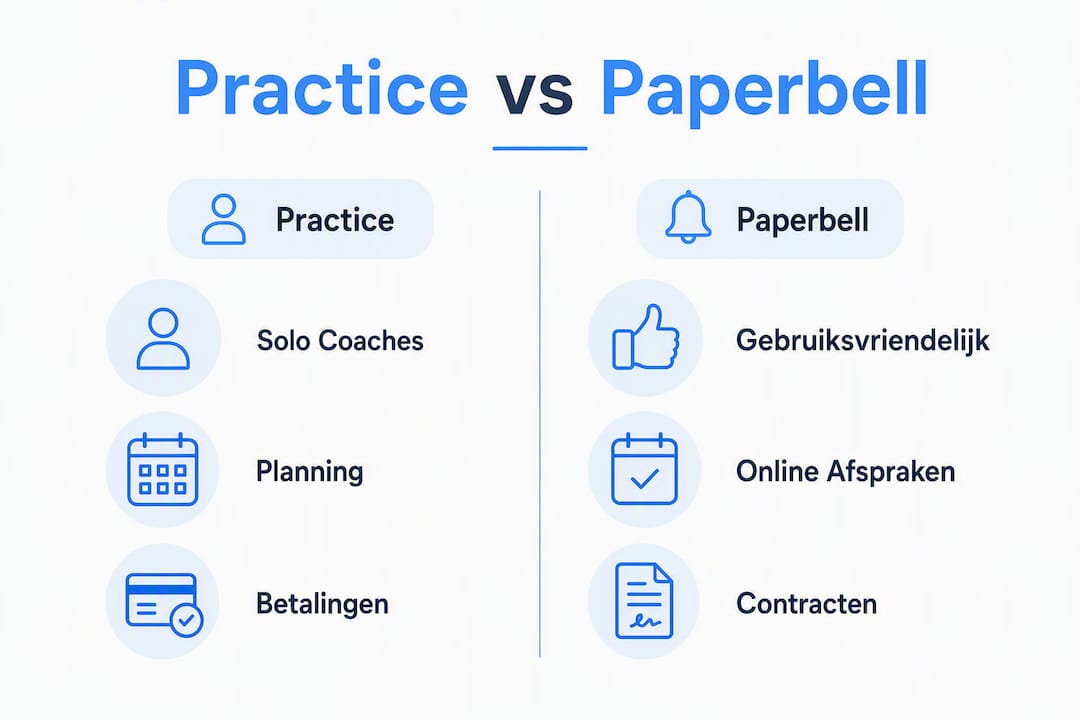
Coaches in Central Europe who work with sensitive personal data would do well to actively ask Practice and Paperbell about EU hosting and a data processing agreement. Exantur makes these points an explicit part of the product.
How do you choose the right tool for your coaching practice?
Start with the question of what you do most on a daily basis: preparing and documenting sessions, or handling bookings and payments. That answer already largely determines which direction you should take.
- Determine your priority. Do you mainly want a good calendar and online booking? Then look at Practice or Paperbell first. Do you want to make session documentation, goals and accountability central? Then Exantur is the logical first step.
- Check where coachee data is stored. Ask each provider: is the data on servers within the European Union? Is a data processing agreement available? This is not a technical detail but a legal requirement under the GDPR (General Data Protection Regulation).
- Look at the total costs. The subscription price is only part of it. Also ask about transaction fees on payments, limits on the number of active clients, and costs for onboarding or exporting your data.
- Estimate the transition time. How long does it take to transfer your existing client data? Ask whether the tool has an import function for contacts and session history.
- Actively test the tool during the trial period. Create a test client, record a session note, send a check-in and look at what the client sees in the portal.
Questions to ask a provider:
- Where is my coachee data stored?
- Is a data processing agreement available?
- Can I export my data if I stop?
- What are the cancellation terms and the minimum contract duration?
Red flags:
- No clear answer to the question about EU hosting.
- No data processing agreement available.
- Data export not possible or only for a fee.
- Unclear cancellation terms.
Pro tip: During the trial period, specifically test the booking and payment process with a fictional client account. That way you see exactly what a client experiences and whether the system fits your way of working, before you transfer your existing clients.
Which features really matter for coaches?
Calendar, online appointments and integration with invoicing are the central selection criteria for many coaches. But there are more building blocks that make the difference.

Session documentation and notes
Good session notes are more than a block of text. During the trial, check whether you can structure notes by type: what did you observe, what insight did the client share, what was the breakthrough, what action was agreed? Exantur offers exactly this structure, with searchable notes that remain linked to the right client and the right journey. Practice and Paperbell offer notes, but less structured.
Coachee portal and engagement
A coachee portal gives clients access to their own goals, progress and assignments. That increases engagement between sessions. During the trial, test what the client sees exactly and whether they can complete check-ins independently. Exantur offers this as a core feature. With Practice and Paperbell the portal is more limited.
Goals and accountability
Accountability here means: as a coach you can see which agreements have been made, which actions are still outstanding and how a client is developing. Exantur is built specifically for this. With other tools, ask whether you can track action items and whether clients can report their own progress.
Structured programs
Do you work with fixed coaching journeys of multiple sessions? Then check whether the tool supports programs with a fixed structure, linked materials and progress tracking per client.
What should you watch out for with scheduling, payments and contracts?
Scheduling and payments are the first reason many coaches go looking for software. Yet this is also where most pitfalls lie when switching.
- Self-service booking: can clients schedule an appointment themselves via a booking page? Check whether availability is updated automatically.
- Payment gateways: which payment methods are supported? Are there transaction fees on top of the subscription?
- Contract duration and cancellation: is there a minimum term? Can you cancel monthly or are you tied to an annual contract?
- Migration of existing data: ask whether you can import contacts and appointments from your current system (for example a spreadsheet or another tool). Some tools offer an import function, others do not.
Practice and Paperbell both have built-in scheduling and payment features. Exantur deliberately does not: it focuses on what happens during and between sessions. Use Exantur alongside a separate calendar tool if scheduling is a hard requirement.
When switching, the rule is: first export all existing client data from your current system before starting a new subscription. That way you prevent data loss if the transition takes more time than expected.
Which integrations and automations are useful for coaches?
Practice software as a digital employee centralises tasks and simplifies management. But not every integration delivers equal value for every coach.
- Accounting: an integration with your accounting software (such as Exact or Moneybird) saves time when processing invoices. Check whether the tool creates invoices automatically after a session.
- Calendar: an integration with Google Calendar or Outlook prevents double bookings. Ask whether the synchronisation works in both directions.
- Email and notifications: automatic reminders for clients reduce no-shows. Check whether you can set the content and timing of notifications yourself.
- Export options: can you export your data to a standard format (such as CSV or PDF)? This is important if you ever want to switch.
Always check integrations yourself during the trial period. Ask the provider which integrations are available and whether they can be set up without technical knowledge. A broad ecosystem of integrations is especially valuable if you already use other tools you want to keep.
Exantur focuses on the coaching core and does not have a broad integration ecosystem. If you place a lot of value on automatic invoicing or calendar synchronisation, that is a point to weigh up.
How do you compare costs when there are no exact prices?
Comparison sites show that practice software varies widely in price and feature profile. Exact prices change regularly, so always request the current rates from the provider.
For each tool, check the following cost categories:
- Subscription type: monthly or annual, and what is the difference in price?
- Limit on active clients: do you pay more as your practice grows?
- Transaction fees: does the tool charge a percentage on payments?
- Onboarding costs: are there costs for setting up or migrating data?
- Export costs: can you take your data with you for free if you stop?
Steps for a fair cost comparison:
- Request a price overview from each provider for your specific situation (number of clients, desired features).
- Calculate the total annual costs including transaction fees and any additional modules.
- Compare the trial periods: how long can you test and what is available during the trial?
- Ask whether a demo is more useful than a self-service trial, especially if you want to migrate a lot of existing data.
Exantur offers a free 14-day trial period. Payment details are required at the start. The subscription starts automatically after the trial, unless you cancel before it ends.
How do you assess user satisfaction and support?
Reviews on platforms such as G2 and SoftwareAdvice give a first impression, but a score alone says little. Look for concrete descriptions: what did the tool solve, what did not work?

Recurring themes in reviews of coaching software are ease of use during the initial setup, how quickly support responds and whether the documentation is clear for non-technical users.
Good onboarding for solo coaches includes at least:
- A step-by-step getting-started guide that gets you going within a day.
- Video tutorials or screen recordings for the most important features.
- A help centre you can consult independently.
- Direct support via email or chat, with a response time of no more than one working day.
Test the support yourself during the trial period. Send a question and note how quickly and how concretely you get an answer. That is a more reliable indicator than an average review score.
Privacy and GDPR: what should you check as a coach?
Coaches process sensitive personal data and must comply with the GDPR. GDPR compliance is not an extra but an operational obligation. For each tool, check at least the following points:
- EU hosting: check whether the data is stored within the European Union
- Data processing agreement: ask whether there is a written agreement governing the processing of personal data
- Encryption: is data stored and transmitted in encrypted form?
- Access control: can you set who has access to which data? Does the tool support two-step verification (MFA, an extra security step at login)?
- Rights of data subjects: can you view, correct and delete client data on request?
Exantur uses EU hosting in Frankfurt, a data processing agreement, MFA and security by design. You can find more information about Exantur's GDPR approach on the tool page. Using software does not automatically make a practice fully GDPR-compliant: as a coach you remain responsible for the way you process data.
Save the privacy statement and data processing agreement of each tool during the trial. That way you have the documentation at hand if a client or supervisory authority asks for it.
This article provides general information and is not legal advice. Consult a privacy specialist for your specific situation.
How we compared Practice, Paperbell and Exantur
This comparison is based on public product documentation, landing pages and feature descriptions of the three tools, supplemented with sources on GDPR requirements for coaches and comparison overviews from platforms such as G2 and SoftwareAdvice. Exantur facts are based solely on the official product description.
The comparison followed these steps:
- Feature mapping based on the comparison dimensions that coaches mention most: calendar, notes, portal, privacy and costs.
- GDPR check: which tools explicitly mention EU hosting and a data processing agreement?
- Review analysis: which themes recur in user reviews on G2 and SoftwareAdvice?
- Trial period check: which features are available during the trial and how long does it last?
You can repeat these steps yourself: visit the product pages, request a trial account and ask the provider the questions from the checklist in section 3.
Why Exantur is often the best choice for coaches in Central Europe
Exantur is built around the coaching relationship, not around administration. That is the core difference with Practice and Paperbell. Where those tools start with calendar and payments, Exantur begins with the question: what does a coach need to do good work?
Concrete reasons why Exantur suits professional coaches in Central Europe:
- Coaching-native structure: the setup follows the coaching process, from preparation to follow-up between sessions.
- Coachee portal: clients have access to their own goals, progress, check-ins and documents. That strengthens engagement outside the session.
- Structured session notes: observations, insights, breakthroughs and action items can be recorded separately and searched.
- Accountability: coaches see which agreements are outstanding and how clients are developing between sessions.
- EU hosting and data processing agreement: for coaches in Central Europe who work with sensitive data, this is not an afterthought.
- Trial period: offers a trial period in which you can test the tool before deciding on a subscription.
Exantur is strongest for solo coaches and small practices who want to structure and document their coaching work in a privacy-conscious European system. Coaches who primarily want a calendar and payment processing will find those features in Practice or Paperbell.
How long does switching to Practice or Paperbell take?
The transition time to a new tool strongly depends on how much existing data you have and how well the tool offers import functions. For most solo coaches the rule is: expect one to three working days for the basic setup, longer if you want to migrate a large client database.
Practice is set up as an accessible tool for coaches without a technical background. The interface is clear and the initial setup is relatively quick. Paperbell is known for its fast start: a booking page and payment link are active within a few hours.
When switching, keep in mind:
- First export all data from your current system in a standard format.
- Check whether the new tool has an import function for contacts and appointments.
- Plan the switch outside a busy period in your practice.
- Inform existing clients about the new booking link or the new portal.
Exantur has no built-in calendar, so any switch to Exantur requires a separate choice for a calendar tool. Setting up client profiles, programs and notes in Exantur is clearly structured and manageable for most coaches without technical knowledge.
What are the contractual obligations for these tools?
Contractual flexibility is a point coaches often check too late. Most coaching software works with monthly or annual subscriptions. An annual contract is cheaper per month, but ties you in longer.
For each tool, check:
- Minimum term: is there a minimum contract duration or can you cancel monthly?
- Notice period: how many days before the end of the period must you cancel?
- Refund policy: do you get money back if you stop mid-term?
- Data export on cancellation: can you take your data with you after the contract ends?
Exantur works with a subscription that starts automatically after the 14-day trial period. Cancelling before the end of the trial prevents the paid subscription from starting. The exact cancellation terms are on the product page.
Practice and Paperbell use comparable subscription models. Always request the current terms, as these may change. Read the fine print about data export: some tools limit the export options after cancellation.
Key takeaways
Exantur is the strongest choice for professional coaches in Central Europe who want coaching-native features, structured session documentation and EU-focused privacy in an integrated system.
| Point | Details |
|---|---|
| Choose based on priority | Calendar and payments: Practice or Paperbell. Session documentation, goals and accountability: Exantur. |
| GDPR is a hard requirement | For each tool, check EU hosting and a data processing agreement before you enter client data. |
| Total costs count | Alongside the subscription, also factor in transaction fees, client limits and export costs. |
| Test actively during the trial | Create a test client, record a note and send a check-in to really assess the tool. |
| Exantur as the coaching core | Exantur offers a 14-day trial and focuses on the coaching relationship, not on calendar or payments. |
My advice as a practice-oriented editor
If you work as a solo coach and want to structure your coaching work better, Exantur is the most logical first step. The coaching-native setup and the privacy approach make the difference compared to tools that started out as booking tools.
For a small coaching organisation with multiple coaches the same applies: the shared workspace and the structure per client journey provide an overview that standalone tools do not offer. Coaches who primarily want a quick booking page and payment link get going faster with Paperbell. But anyone who looks beyond the first booking will notice that the depth in session documentation and accountability with Exantur is a different category.
Try Exantur: what should you test first in the trial?
Coaches who want to organise their practice seriously will find in Exantur a workspace built around the coaching relationship. Not a calendar with a few extras, but a system that begins with the client and the journey.
Start Exantur's free 14-day trial and test at least the following during that period:
- Session notes: record a note with observations, insights and action items for a test client.
- Coachee portal: look at what the client sees and whether check-ins and goals are clear.
- Accountability: check whether you can track outstanding action items between sessions.
- Privacy settings: request the data processing agreement and check the EU hosting statement.
During the trial, note how much time you spend recording a session and how quickly you can retrieve a client file. That gives you a fair picture of the time savings. Do you also want to organise your client management better? Then take a look at what Exantur offers in that area. Start the trial and discover whether Exantur fits your way of coaching.
Sources and further reading for depth
- Protect the privacy of your coachees: a guide for coaches — practical GDPR explanation specifically for coaches.
- Find and compare practice software for therapists and coaches — comparison overview with price indications and features.
- Paperbell vs. Practice comparison on G2 — user reviews and feature scores for both tools.
- Paperbell vs Practice on SoftwareAdvice — additional comparison with review themes.
- Exantur's coaching GDPR check — practical checklist for GDPR review of coaching software.
- Best GDPR-proof coaching software for coaches in Europe — an in-depth look at privacy and data protection with coaching tools.
Frequently asked questions
What is the best coaching software for solo coaches?
The best choice depends on your priority. Exantur is strong in session documentation, goals and accountability. Practice and Paperbell are better if you are primarily looking for a calendar and payment processing.
What are good alternatives to Paperbell?
Practice is a direct alternative with comparable scheduling and client management features. Exantur is an alternative if you want more depth in session documentation and a coachee portal, but do not need built-in payment processing.
Which online coaching platform is best for European coaches?
For coaches in Central Europe who work with sensitive personal data, EU hosting and a data processing agreement are a hard requirement. Exantur explicitly meets these and is built specifically for the European market.
Can I try Practice and Paperbell for free?
Both tools offer a trial period. Always check the current terms on the product page, as the duration and available features during the trial may change.
What are the main differences between Practice and Paperbell?
Practice focuses on calendar and client administration as its core. Paperbell emphasises online booking and payments with a simple program structure. Both tools have a more limited coachee portal and less structured session documentation than Exantur.