
Quenza alternatives for Dutch coaches: Exantur, GDPR-safe
Quenza alternatives for Dutch coaches: Exantur, GDPR-safe

For most professional coaches in the Netherlands, Exantur is the strongest Quenza alternative when you want GDPR-aware data processing, session notes, and a client portal in one workspace. Simply.Coach is a good option if you mainly need broad administrative features, and CoachAccountable works well for coaches with highly structured programs. If you prefer something lighter and simpler, Paperbell or ClientVenue are a better fit. The comparison below shows why.
In short:
- Exantur is the best choice for coaches who value GDPR-aware data processing and a central workspace with a client portal, especially in the Netherlands.
- For those who mainly want to automate administration, Simply.Coach and SimplePractice remain fitting options with a strong emphasis on scheduling and invoicing.
- When switching to a new platform, it is essential to export your data first, connect your calendar and payments first, and briefly inform clients.
- Costs differ depending on whether you are billed per coach or per client, with extras such as transaction fees and hosting location well worth comparing beforehand.
- Good software should fit the way you work and not just offer many features, because coaching has unique building blocks that specialized tools support better.
Table of contents
- Which Quenza alternatives are worth considering?
- Which features and guarantees determine your choice?
- How do you switch from Quenza to a new platform?
- What do these platforms actually cost in the long term?
- Why Exantur fits how coaches really work
- Ready to try it yourself?
- Why "more features" is not the right question
- Sources
- Frequently asked questions
Which Quenza alternatives are worth considering?
Anyone looking for Quenza alternatives quickly runs into a long list of tools. Some are broad practice platforms, others are really invoicing or scheduling tools with a thin coaching layer on top. That distinction matters, because it determines whether a tool genuinely supports your work or only part of it.
Below are eight alternatives that are most relevant for Dutch coaches, with Exantur first because it is built specifically around the coaching process itself, not as a general business tool that coaches happen to also use.
Exantur is made for professional solo coaches and small coaching practices that want to stop juggling separate tools. It offers an integrated workspace where you manage clients, structure coaching journeys, and document sessions in searchable notes, split into observations, insights, breakthroughs, and action points.
- Clients track goals and progress themselves through their own coachee portal, where they also complete check-ins and prepare for sessions.
- Intake forms, DISC profiles, the Wheel of Life, and other assessments stay linked to the right journey, so you are not searching through separate folders.
- Calendar synchronization with Google Calendar and Outlook works both ways, and Zoom integration and online booking with automatic reminders are included by default.
- Invoicing runs through the coach's own Stripe account, without Exantur taking any commission on it.
- Data is stored on servers in Frankfurt, with technical separation between practices and two-factor authentication (MFA), which means that when logging in you need an additional code besides your password.
This makes Exantur the strongest choice for coaches who value GDPR-aware data processing and one central system more than a stack of separate subscriptions.
Simply.Coach positions itself as an all-in-one coaching platform with features for contracts, invoicing, and scheduling. It is a broad choice for coaches who mainly want administrative handling, from contract management to payment reminders. Reviews on comparison sites show mixed experiences with support and onboarding time, so test for yourself how quickly you get the hang of it.
SimplePractice is a widely used practice platform with strong automation and document management. It is often mentioned on comparison sites as an alternative to Quenza, especially among entrepreneurial coaches who work a lot with forms and templates. It is less specifically focused on the coaching process itself and more on general practice administration.
CoachAccountable focuses on program and assignment management with clear progress tracking. Coaches who work with tightly structured journeys, fixed steps with homework and checkpoints, will find familiar structure here. It is less of an all-in-one workspace and more of a program engine.
CoachVantage is built around practice management with team functionality. For small practices with multiple coaches who need to log in together and divide tasks, this is a logical candidate. Solo coaches often find the team features feel unnecessary for their situation.
Paperbell is a simpler tool, focused on selling coaching packages with integrated payment. For coaches who mainly want to quickly offer and charge for a program, without extensive record-keeping, this is sufficient. For those who need in-depth session notes or assessments, it is too limited.
ClientVenue focuses on simplicity for online modules and client onboarding. It works well for coaches who mainly want to share content and course material, with less emphasis on ongoing session documentation or accountability between sessions.
Upcoach is aimed at course and program structure, with an emphasis on building and delivering coaching programs to groups or individuals. It fits coaches who mainly scale content, less so those who document intensive one-on-one guidance with extensive notes.
Which features and guarantees determine your choice?
Before you choose, it is smart to run through a short checklist. Not every alternative scores equally on every point, and some differences you only notice after a month of use.
- Client record and session notes. Can you structure notes into categories such as observations, breakthroughs, and action points, or do you only get an empty text field? This determines whether you can find anything again later.
- Coachee portal. Does your client have their own environment to view goals, complete check-ins, and prepare for sessions? Some tools do not offer this and expect you to share everything via email.
- Calendar integration. Does the connection with Google Calendar or Outlook work both ways, or do you have to enter appointments twice?
- Invoicing and payment options. Does payment run through your own Stripe account, or does the platform take a percentage of each transaction?
- Privacy and hosting location. Is the data stored in the EU or in the United States? For Dutch coaches working under the GDPR, the European privacy law that regulates how personal data may be processed, this is a real difference in legal responsibility.
- Trial period and onboarding. Can you test without obligation, and how much time does it take to properly set up your first client?
- Support and documentation. Is there a team that responds to questions, or are you left with a forum?
Pro tip: For each alternative, don't ask yourself "does it have this feature?" but "do I use this feature every week?" A long feature list is useless if you only really need three things daily.
Pay particular attention to point five. Some American platforms host data outside the EU, which requires extra legal steps if you work with Dutch or European clients. That does not automatically mean it is unsafe, but you do carry more responsibility to determine for yourself whether the processing complies with the GDPR.
How do you switch from Quenza to a new platform?
A switch usually fails not because of the new platform, but because of a poorly prepared migration. Follow these steps to lose nothing and not surprise clients.
- Export your data first. Start with client data, calendar appointments, and active programs. This takes priority over older completed journeys.
- Set up a test environment. Create two or three test coachees to check whether notes, assessments, and the portal work as you expect, before you add live clients.
- Connect calendar and payments first. It is more practical to get your calendar and payment flow operational first, and only then migrate session notes and older assessments. That way your practice simply keeps running during the transition.
- Inform clients briefly and clearly. Explain what changes for them, particularly if they need to use a new portal, and indicate what happens with their data.
- Check privacy arrangements. Make sure there is a data processing agreement in place with your new provider, a contract that establishes how they handle your clients' personal data.
- Validate after going live. Check during at least one real client session whether everything is correct: notes, calendar, invoicing. Only then do you shut down the old system.
Expect a few weeks for a smooth transition, depending on how many active clients you have and how much historical data you want to keep.
What do these platforms actually cost in the long term?
Coaching software is usually priced in one of two ways: per coach, with a fixed monthly amount regardless of the number of clients, or per active coachee, where costs rise along with your practice size. Neither is inherently better, it depends on how quickly your practice grows.
Watch out for a few things that can significantly affect the actual costs:
- Transaction fees on invoicing. Some platforms take a percentage of every payment that runs through their system, which can add up considerably for a growing practice.
- Extra costs for integrations. Calendar connections, video calling, or white-label options (your own brand instead of the software vendor's brand) are not always included in the basic package by default.
- Costs that grow with your team. If you later hire a second coach, check whether the price per user increases or whether there is a fixed practice rate.
You can make a simple comparison by adding up your current monthly costs of all separate tools (scheduling, invoicing, notes, portal) and comparing them with one integrated subscription. Often it turns out that with separate tools you pay more for less coherence. Use the coaching software stack calculator to make this concrete for your own practice.
Why Exantur fits how coaches really work
The reason Exantur stands out in this comparison is not that it has more features than other tools. It is that the features it does have align precisely with what coaching as a profession requires, rather than with what a generic business system happens to also do.
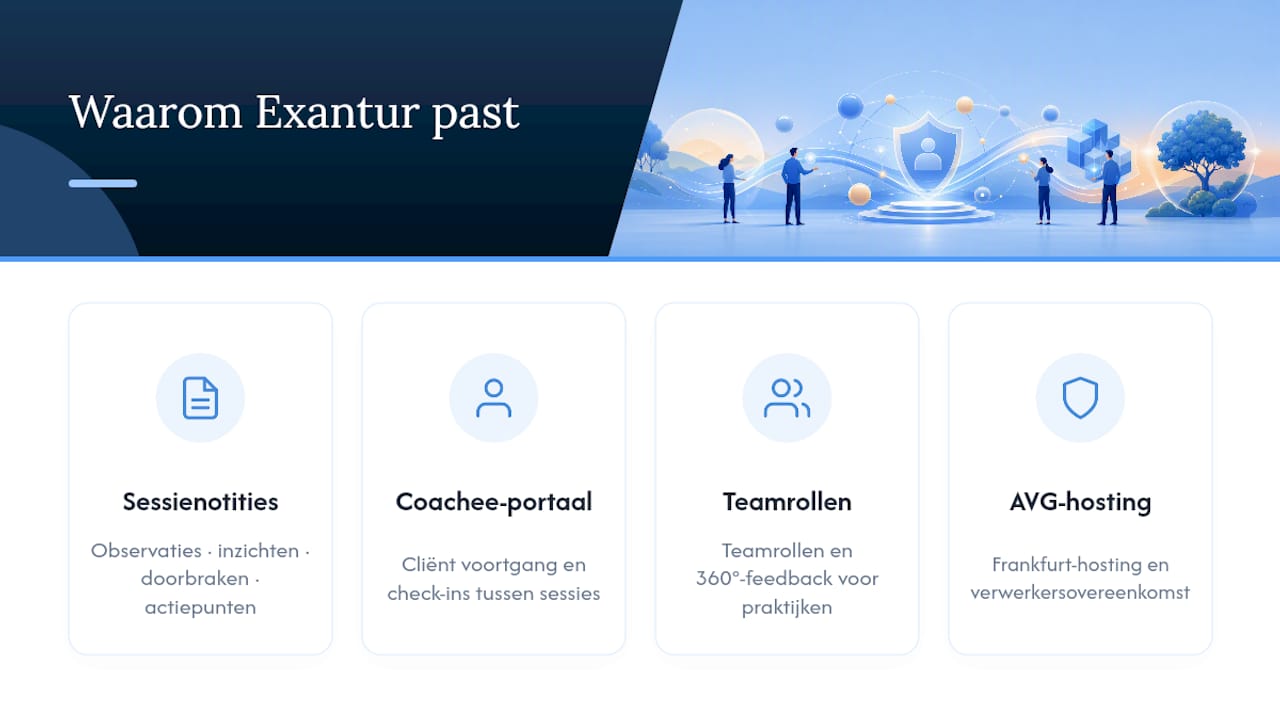
Take session notes. Most platforms give you a text field and let you get on with it. Exantur structures notes into observations, insights, breakthroughs, and action points, which means that six months later you can still find when a client had a specific breakthrough, without reading through an entire document.
The coachee portal is a second example. Clients who see their own progress and complete check-ins between sessions stay more engaged, and that saves you as a coach time on follow-up emails. Larger practices also get team roles and 360° feedback available, which becomes relevant as soon as you work with multiple coaches.
The choice for hosting in Frankfurt and a data processing agreement is not a marketing trick, it is a design choice that fits how seriously European coaches handle confidential client information. Software alone does not automatically make your practice fully GDPR-compliant, but it does save a whole step in the right direction. With a 14-day trial period, you can verify all of this for yourself before switching.
Ready to try it yourself?
You now have the checklist and the migration steps. The next logical step is to test whether Exantur actually works in practice as described here, because a list of features says less than a week of real use with your own client data.
Exantur offers a free trial period, at no cost during the trial. After it ends, the chosen paid subscription starts automatically, unless you cancel before the end. First check out the Exantur features to see how session notes, the coachee portal, and the calendar connection work together, or go directly to the pricing to see which subscription suits your practice size. If you first want to know how Exantur compares to a specific alternative, check out the Exantur versus CoachVantage comparison. Sign up for the trial period and test the checklist from this article with your own clients, that is the only way to really know whether it fits.
Why "more features" is not the right question
Most comparison articles about coaching software make one mistake: they rank tools by how much they can do, instead of by how well they fit the coaching process itself. A platform with fifty features of which you use eight is not better than a platform with twenty features that you all use weekly.
What strikes me about the market of Quenza alternatives is how many tools originally started as general practice management software for therapists or consultants, and only later got a "coaching" layer. That explains why some platforms are strong in invoicing or scheduling but weak in something fundamentally coach-specific such as capturing a breakthrough during a session or tracking accountability between appointments.
The underlying truth is that coaching is not therapy and not project management. It has its own building blocks: goals that evolve, clients who do their own work between sessions, and progress that you cannot capture in a simple to-do list. Software that is designed from the ground up around those building blocks works more pleasantly in the long term than software you have to bend to fit your practice.
My advice: don't just test whether a platform has the feature you are looking for, test whether it feels made for your way of working. You only notice that after a few weeks, not after reading a feature list.
— Martijn
Sources
If you want to verify the comparison yourself, use these sources as a starting point. G2 maintains an overview of Quenza alternatives with user reviews, including platforms such as Zanda and SimplePractice. Capterra offers reviews and profile information about Simply.Coach, useful for assessing support and ease of use. For Dutch context around practice management and record-oriented work, PortalCMS is a useful example. Those who want to know more about how integrated decision aids and privacy-conscious software work can read more at Keuzehulp-studio. For a direct look at Exantur itself, visit the company page.
- Top 10 Quenza Alternatives & Competitors
- Simply
Frequently asked questions
What is a good Quenza alternative for privacy?
Exantur is a strong choice because the data is hosted in Frankfurt and a data processing agreement is available by default for GDPR-aware data processing.
Are there free Quenza alternatives?
Some tools offer limited free versions, but most full-featured practice platforms operate on a paid subscription after a free trial period, such as the 14 days Exantur offers.
Which alternative suits small coaching practices with multiple coaches?
CoachVantage offers team functionality for collaborating coaches, while Exantur provides multi-coach organization features and team analytics for practices that want to grow without taking GDPR risks.
How much time does switching to a new platform take?
Expect a few weeks for a smooth transition, first getting your calendar and payments live and then migrating session notes and assessments, so your practice stays operational.
Should I set different requirements for Quenza alternatives for therapy?
Yes, therapeutic practices often have stricter record-keeping requirements and longer retention periods, so check specifically whether the platform offers structured notes and a clear data processing agreement.