
Row level security: a practical step-by-step guide for IT and data
Row level security: a practical step-by-step guide for IT and data

Row level security is the most reliable way to show users only the rows intended for them. The recommendation is clear: enforce this at the database level, not just in reports. Central policies then apply to all applications at once, there is a single source of truth, and a forgotten WHERE clause in an application does not expose data.
Choose database-first when:
- multiple applications or reports use the same database
- you want a central place for management and auditing
- you want to demonstrate GDPR compliance with verifiable access control
- you work with sensitive data such as personal or financial data
Choose report-first (Power BI) when:
- you want to quickly build a prototype without database changes
- the data is exposed exclusively through Power BI
- you have limited IT support and the administrator only manages Power BI
Table of contents
- What is row level security and how does it work?
- How do you implement row level security in Power BI?
- How do you implement this in PostgreSQL and SQL Server?
- Database-level versus report-level: when do you choose what?
- Which pitfalls should you know about?
- How do you test and validate the access rules?
- Which best practices apply to design and management?
- What does the rollout cost and how long does it take?
- Recognizable use cases with pattern examples
- Why database-first is often the best choice
- Key insights
- What works in practice
- Recommended resources for further reading
- Frequently asked questions
What is row level security and how does it work?
Row level security filters which rows a user sees based on who that user is. Not at the table level, not at the column level, but per row. A sales manager in Amsterdam only sees the deals from his region; his colleague in Berlin sees hers. The same report, the same model, different data.
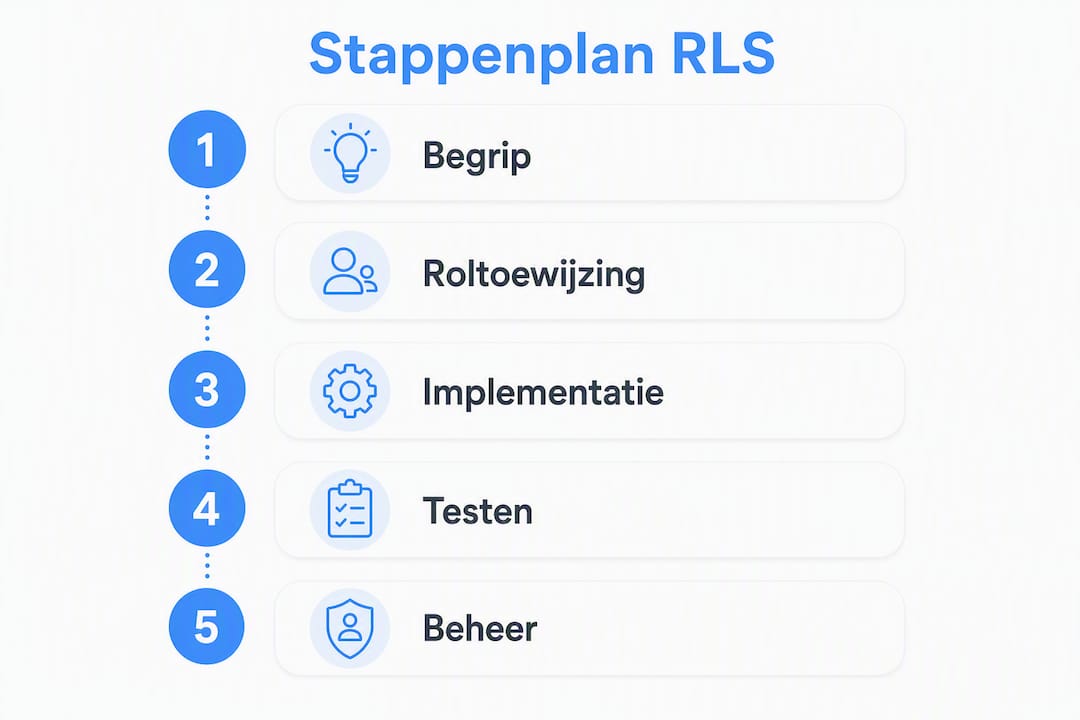
Technically, it works like an extra WHERE clause that is automatically added to every query. The database or reporting model evaluates a policy or filter rule, compares it with the user's identity, and returns only the rows that meet the condition. The user sees the result, not the filter itself.
How does this differ from column masking and table access?
| Technique | What it covers | What it does not cover |
|---|---|---|
| Row level security | Which rows are visible | Columns, aggregations, metadata |
| Column masking | Which columns are visible | Rows, aggregations |
| Table access (permissions) | Access to the entire table | Fine-grained row or column selection |
The three techniques complement each other. Row level security alone does not hide columns. Column masking alone does not hide rows. Anyone who truly protects sensitive data combines both.
Typical columns you filter on:
- tenant_id or organization_id: for multi-tenant environments where each organization only sees its own data
- region or location: for sales teams or regional reporting
- employee_id: for HR data where each employee only views their own data
How do you implement row level security in Power BI?
Row level security in Power BI works in two steps: define roles and filters in Power BI Desktop, and manage role membership after publication in the Power BI service.
Step by step
- Open Power BI Desktop and go to the Modeling tab.
- Click Manage roles and create a new role, for example "Region North".
- Define a DAX filter expression on the relevant table.
- Publish the report to the Power BI service.
- Assign users or security groups to the role via Security in the dataset settings.
- Test the role using the View as feature in the service.
Static versus dynamic filters
A static filter is simple and fast:
[Region] = "North"
Every user in the "Region North" role only sees rows where the Region column equals "North". Handy for small teams with fixed regions, but not scalable if you have dozens of regions.
A dynamic filter uses the identity of the logged-in user:
[Email] = USERPRINCIPALNAME()
This compares the user's email with a column in the data. Works well when each user has their own row in an assignment table. A more advanced variant with an assignment table:
[RegionKey] IN
    CALCULATETABLE(
        VALUES(Assignment[RegionKey]),
        Assignment[Email] = USERPRINCIPALNAME()
    )
This allows a user to be assigned multiple regions without modifying the role.
Dynamic filters via USERPRINCIPALNAME() are the recommended approach for production environments. Static filters require manual adjustments with every organizational change; dynamic filters scale along with your user base without needing to republish the model.
Pro tip: Always check that the email address in the assignment table exactly matches the UPN in Azure Active Directory. A case difference or an alias instead of the primary address is the most common reason why a user suddenly sees nothing anymore.
Management and pitfalls
Users with the Admin, Member or Contributor role in a Power BI workspace bypass row level security by default. Only users with the Viewer role are filtered. So make sure internal administrators are not accidentally set as Viewer for testing purposes, and that production users are not added as Admin.
How do you implement this in PostgreSQL and SQL Server?
PostgreSQL
After enabling row level security on a table, a deny-all applies by default: no one sees rows until a policy exists. Communicate this to your team in advance to avoid confusion.
-- Step 1: enable at the table level
ALTER TABLE orders ENABLE ROW LEVEL SECURITY;

-- Step 2: create a policy
CREATE POLICY tenant_isolatie ON orders
    USING (tenant_id = current_setting('app.current_tenant')::uuid)
    WITH CHECK (tenant_id = current_setting('app.current_tenant')::uuid);

-- Step 3: grant the application role read rights
GRANT SELECT ON orders TO app_user;
The USING clause determines which rows are visible on SELECT. The WITH CHECK clause validates whether new or modified rows meet the policy on INSERT and UPDATE. PostgreSQL evaluates policies before other query conditions; multiple permissive policies combine with OR.
Superusers and roles with BYPASSRLS bypass all policies. Use this privilege exclusively for administrative accounts and document who has it.
Beware of referential integrity: primary keys and foreign key checks bypass the RLS checks in PostgreSQL. This can constitute an indirect information leak when a user can infer from an error message that a row exists which they are not allowed to see.
SQL Server
In SQL Server, row level security works via inline table-valued functions and security policies:
-- Step 1: create a filter function
CREATE FUNCTION dbo.fn_rls_filter(@RegioBeheerder AS sysname)
RETURNS TABLE
WITH SCHEMABINDING
AS
RETURN
    SELECT 1 AS resultaat
    WHERE @RegioBeheerder = USER_NAME()
       OR IS_ROLEMEMBER('db_owner') = 1;

-- Step 2: link the function to a security policy
CREATE SECURITY POLICY RegioBeleid
ADD FILTER PREDICATE dbo.fn_rls_filter(RegioBeheerder)
ON dbo.SalesOrders
WITH (STATE = ON);
The steps are: grant rights, create an inline filter function, bind the predicate to a security policy, and test under different user principals.
Performance tip: always index the column used in the policy, such as tenant_id or RegioBeheerder. A policy on a non-indexed column leads to full table scans and noticeable slowdown as the table grows.
Database-level versus report-level: when do you choose what?
| Criterion | Database-level | Report-level (Power BI) |
|---|---|---|
| Where to enforce | In the database, for all apps | Only in the report or dataset |
| Manageability | Central policies, a single source of truth | Managed per report or dataset |
| Breadth of coverage | All applications that use the database | Only Power BI reports |
| Performance | Depends on indexing and predicate complexity | Depends on DAX complexity and model size |
| Testability | SQL queries, EXPLAIN ANALYZE, session emulation | "View as" feature in Power BI service |
| Compliance and audit | Logging at database level, verifiable for GDPR | Limited to Power BI audit logs |

Central database policies prevent a forgotten WHERE clause in an application from exposing data. That is the core argument for database-first.
Report-level security makes sense when the data is exposed exclusively through Power BI and you want to start quickly without database changes. For small organizations with limited IT support, this is often the quickest route to a working solution.
Decision rule for small organizations: if your data is exposed through more than one application, or if you expect a GDPR audit, choose database-level. If Power BI is the only gateway and your team is small, start with report-level and migrate later.
Which pitfalls should you know about?
The most common mistake is activating row level security without creating policies. The result: no one sees any data anymore, and the help desk gets reports. Always test in a shielded environment before enabling this in production.
Other pitfalls:
- Complex predicates with joins: simple WHERE clauses perform much better than predicates that use joins to other tables. A policy that runs a subquery on every row scales poorly.
- Wrong key columns: use stable, reliable identifiers such as a UUID or a numeric ID. Never use a name or email address as a key column; those change.
- Administrative bypass:
BYPASSRLSin PostgreSQL anddb_ownerin SQL Server bypass all policies. Document who has these rights and limit them to the minimum. - Backups and exports: some backup tools export data as superuser and thereby bypass the policies. Check whether your backup strategy accounts for access control.
- Referential integrity as a side channel: in PostgreSQL, foreign key checks can indirectly reveal that a row exists which a user is not allowed to see.
Mitigations: keep predicates simple, index key columns, document all bypass rights, and test again after every schema change.
How do you test and validate the access rules?
Testing is not an optional step. A policy that looks good but is configured incorrectly gives a false sense of security.
Test checklist
- Create test accounts for every role you want to validate.
- Log in as a test user and check which rows are visible.
- Try to insert or update a row that falls outside the policy and verify that this is refused.
- Check the query plan with
EXPLAIN ANALYZE(PostgreSQL) to see whether the index is used. - Log rejections and check whether the audit logs contain the expected entries.
- Test again after every schema change.
Example test cases
- Sales manager region North: logs in, only sees orders with
regio = 'Noord', does not see orders from other regions. - User with multiple regions: logs in, sees orders from all assigned regions via the assignment table.
- Administrator with BYPASS rights: logs in, sees all rows. Verify that this is intentional and documented.
Session emulation in PostgreSQL
-- Set the current tenant for the session
SET app.current_tenant = '3f2a1b00-...';

-- Run a test query as the application role
SET ROLE app_user;
SELECT * FROM orders;
-- Expected: only rows with tenant_id = '3f2a1b00-...'
In Power BI you use the "View as" feature in the Power BI service to emulate a specific user or role. This lets you see exactly what that user sees without logging in with their account. Use a test account with a known email address that matches a row in your assignment table.
Which best practices apply to design and management?
Least privilege as a starting point. Design policies with as few privileges per role as possible. Give a user access only to the rows they really need, not to a broader set "just in case".
Further recommendations:
- Index key columns: every column used in a policy or DAX filter gets an index. Without an index, the solution does not scale.
- Combine with column masking and audit logging: row level security is one layer within a layered security strategy. Column masking hides sensitive fields; audit logging makes access verifiable.
- Document all policies and bypass rights: store this in version control together with the schema changes.
- Use automated tests: add RLS tests to your CI/CD pipeline so that a schema change does not unnoticed break a policy.
- Secured identities and MFA: combine encryption, fine-grained access control and continuous monitoring. Multi-factor authentication (MFA, where a user goes through a second verification step in addition to a password) reduces the risk of compromised accounts.
- Single source of truth: manage policies in one central place. Spreading management across multiple tools or reports leads to inconsistencies.
What does the rollout cost and how long does it take?
License checks
For Power BI, check whether the licenses used support sharing secured reports. Row level security works in Power BI Pro and Premium; with a free license you can define roles but not publish to other users. Also check which database roles have BYPASSRLS and whether that is intentional.
Rollout steps and timeline
| Phase | Duration | Activities |
|---|---|---|
| Proof of concept | a short period | Design policies, build test environment, validate with test accounts |
| Pilot | a few weeks | Roll out to a limited user group, gather feedback, adjust policies |
| Production | Depends on the number of datasets and tables | Full rollout, monitoring, documentation, handover to management |
Stakeholders involved
- Administrator: manages roles, memberships and bypass rights
- Data engineer: designs and implements policies and indexes
- Business owner: defines who may see which data and validates the test results
The biggest time investment lies not in the technical implementation, but in gathering the access requirements from the business. Who may see what? That conversation takes longer than writing the policies.
Recognizable use cases with pattern examples
Sales per region
The most common pattern. Each sales employee only sees the orders from their region.
- Power BI:
[RegioKey] = LOOKUPVALUE(Medewerker[RegioKey], Medewerker[Email], USERPRINCIPALNAME()) - SQL:
WHERE regio_id = current_setting('app.regio_id')::int
Add an assignment table if employees manage multiple regions.
Organization isolation
In an environment where multiple organizations share the same database, an organisatie_id column isolates the data per tenant.
- Store the organization identifier in the session context on login.
- Every policy compares the row column with the session value.
- Check that the application layer sets the correct identifier; an error here leaks data to the wrong organization.
HR data and GDPR
Personal data such as salary scales, performance reviews and sick leave fall under the GDPR (General Data Protection Regulation). Limit row-level visibility to the employee concerned and their direct manager, and combine this with column masking for fields such as social security number or bank account number.
- Document the access rules as part of your processing register.
- Log who viewed which HR rows and when.
- Have the policies periodically reviewed by a privacy advisor or IT partner.
Why database-first is often the best choice
Central policies reduce the management burden and limit the chance of leaks due to errors in application code. An application that forgets a WHERE clause does not leak data if the database itself enforces access. That is a fundamental difference from report-level security, where every new tool or every new report must be configured again.
For GDPR compliance, this argument is extra strong. A processing register and an audit trail are easier to substantiate when access control sits in one central place. Logging at the database level records every query, not just the queries via a specific report.
Report-level security suffices when Power BI is the only gateway and the organization is small. But as soon as a second application exposes the data, or as soon as an external audit reviews the access control, database-first is the safer choice.
The recommendation: start with report-level if you want to start quickly, but plan the migration to database-level as soon as the scope grows. Don't wait until an incident forces you.
Key insights
Row level security is most reliable when it is enforced centrally in the database, combined with column masking, audit logging and MFA.
| Point | Details |
|---|---|
| Database-first for central management | Policies in the database apply to all applications and prevent leaks due to application errors. |
| Always test before production | Never activate row level security without policies; the deny-all effect immediately blocks all users. |
| Index key columns | A policy on a non-indexed column leads to full table scans and noticeable slowdown. |
| Combine with masking and logging | Row level security alone does not hide columns; add column masking and audit logging for full coverage. |
| Plan the rollout in phases: proof of concept in a short period, followed by a pilot of a few weeks, then production rollout with monitoring and documentation. |
What works in practice
The technical implementation of row level security is rarely the hardest part. Writing the policies, creating the indexes, defining the DAX filters: that is a matter of hours to days. What organizations structurally underestimate is the groundwork.
Who may see which rows? That sounds like a simple question, but in practice the answer turns out to be spread across three departments, two spreadsheets and an unwritten agreement from 2019. Without a clear access model you write policies that are technically correct but wrong from a business perspective. And you only discover that when a user calls because they see data that is not intended for them.
My advice: start with the access model, not with the code. Put the rules on paper, have them validated by the business owner, and use that document as the basis for your policies. Version control for policies is not a luxury; it is the only way to still understand after six months why a rule was written the way it was.
And document the bypass rights. Every organization has an administrator who can see everything. That is sometimes necessary. But if no one knows who they are, it is a security risk that no policy can solve.
Recommended resources for further reading
Use these resources as a starting point for implementation and verification:
- Row-level security (RLS) with Power BI: the official Microsoft documentation with steps for roles, DAX examples and management in the service.
- PostgreSQL: Row Security Policies: the full reference for
CREATE POLICY,USING,WITH CHECKand the behavior ofBYPASSRLS. - Row-Level Security in PostgreSQL: how data isolation works: practical guide with examples for tenant isolation and design choices.
- Introduction to row level security in SQL Server: step-by-step guide for inline filter functions and security policies in SQL Server.
- Database Security: Comprehensive Protection Frameworks: recommendations for combining encryption, access control and monitoring for sensitive data.
Have the implementation and periodic audits reviewed by a technical contact or IT partner, especially when sensitive personal data falls under the GDPR. This article provides general technical information and does not replace professional security advice.
Frequently asked questions
What exactly is row level security?
Row level security is a technique in which a database or reporting tool automatically filters which rows a user sees, based on their identity. Each user only sees the rows they are authorized to view, even though multiple users use the same report or the same query.
Should you always enable row level security?
Not always, but you should when multiple users have access to the same dataset and not all rows are intended for everyone. For sensitive data such as personal or financial information it is strongly recommended, especially in combination with column masking and audit logging.
What is the difference between row-level and column-level security?
Row level security determines which rows are visible; column-level security (also called column masking) determines which columns are visible. The two techniques complement each other and are combined in a complete security strategy.
How well does row level security work in practice?
It works reliably when policies are simple, key columns are indexed and bypass rights are limited to administrators. Complex predicates with joins or non-indexed columns lead to performance problems. Regular testing after schema changes is necessary to prevent unintended leaks.
What is the deny-all effect in PostgreSQL?
As soon as you enable row level security on a table in PostgreSQL without creating policies, no one sees any rows anymore. This is the default behavior. Always create the necessary policies first in a test environment before activating this in production.