
Trackler alternatives: which coaching software suits you?
Trackler alternatives: which coaching software suits you?

Exantur is the recommended alternative for coaches who want to replace Trackler with software built entirely around the coaching process. Would you rather have a broad workspace for practice management, a tool that focuses mainly on sessions and reflection, or a solution geared towards booking and invoicing? Then FocusCoachee or Vigore is a better fit. Request a trial and compare for yourself.
In short:
- Coaches who mainly want to centralise their administration quickly benefit from Exantur thanks to the integration of client management and session notes.
- For coaches who want to focus on session continuity without extensive administration, FocusCoachee is a better fit because of its strong emphasis on between-session reflection.
- Packages and invoicing through the platform require Vigore, which offers direct website integrations and payment options for selling to companies or individuals.
- A good switch starts with clear criteria such as data security within the EU, export options and clear cancellation terms, not with a first demo.
- Comparing tools based on current time and cost savings helps you choose the right software and avoid unpleasant surprises.
Table of contents
- Comparing Trackler alternatives: who suits which coach?
- What sets each provider apart: short profiles
- How do you choose the right alternative for your practice?
- Why Exantur suits professional coaches
- What a switch costs in time and money
- Hidden costs and contractual obligations when switching
- Ease of use and support with coaching software
- What users say about coaching software
- What this comparison really teaches you
- How to get started with Exantur today
- Sources
- Frequently asked questions
Comparing Trackler alternatives: who suits which coach?
Not every coach needs the same software. Do you work alone and want client data, session notes and progress in one place? Then you're looking for a coaching-native workspace. Do you work with a small team and is everything centred on session conversations without much administration? Then session continuity matters more than client management. Do you sell packages to companies or individuals via a booking page? Then invoicing and booking functionality is your most important criterion.
- Exantur: suits solo coaches and small coaching practices that want program management, a client portal and privacy in one system.
- Trackler: suits coaches looking for a general practice platform without comparing specific coaching depth.
- FocusCoachee: suits coaches who mainly want to strengthen reflection and follow-up between sessions.
- Vigore: suits coaches who sell packages or invoice employer-paid programs.
Pro tip: Calculate in advance how much time you currently spend on separate tools such as a calendar app, an invoicing program and a note-taking app. That total often determines more quickly than a feature list which alternative pays for itself.
A structured switch starts with clear criteria, not with the first demo you happen to see. Coaches who make GDPR hosting within the EU a requirement usually have less discussion afterwards with clients about data protection.
What sets each provider apart: short profiles
Each provider places a different emphasis. That makes the choice easier once you know which emphasis suits your way of working.
Exantur is built around the coaching process itself, not as a general project tool with a coaching layer on top. Client management, structured coaching programs, searchable session notes and progress and accountability features are included in the core as standard, as is the ability to link DISC profiles and Wheel of Life assessments to a program. Coachees get their own portal to view goals, complete check-ins and prepare documents. You can test it via a free 14-day trial, and with the coaching software stack calculator you can see in advance what a switch delivers financially.
Trackler focuses on coaches looking for a platform that combines programs and general practice management. It is often chosen by coaches looking for one place for planning and client follow-up, without a specific emphasis on in-depth session documentation.
FocusCoachee focuses on what happens between sessions. The platform is session-oriented and geared towards continuity and reflection, with less emphasis on administration or invoicing. Coaches who mainly want to strengthen client engagement between appointments will find a targeted solution here.
Vigore combines booking, packages and invoicing in one system. The platform supports both individual sessions and ongoing programs and offers widget and website integrations that allow clients to book directly through the coach's site. For coaches who sell packages to companies or offer individual sessions to private clients, that's a practical advantage.
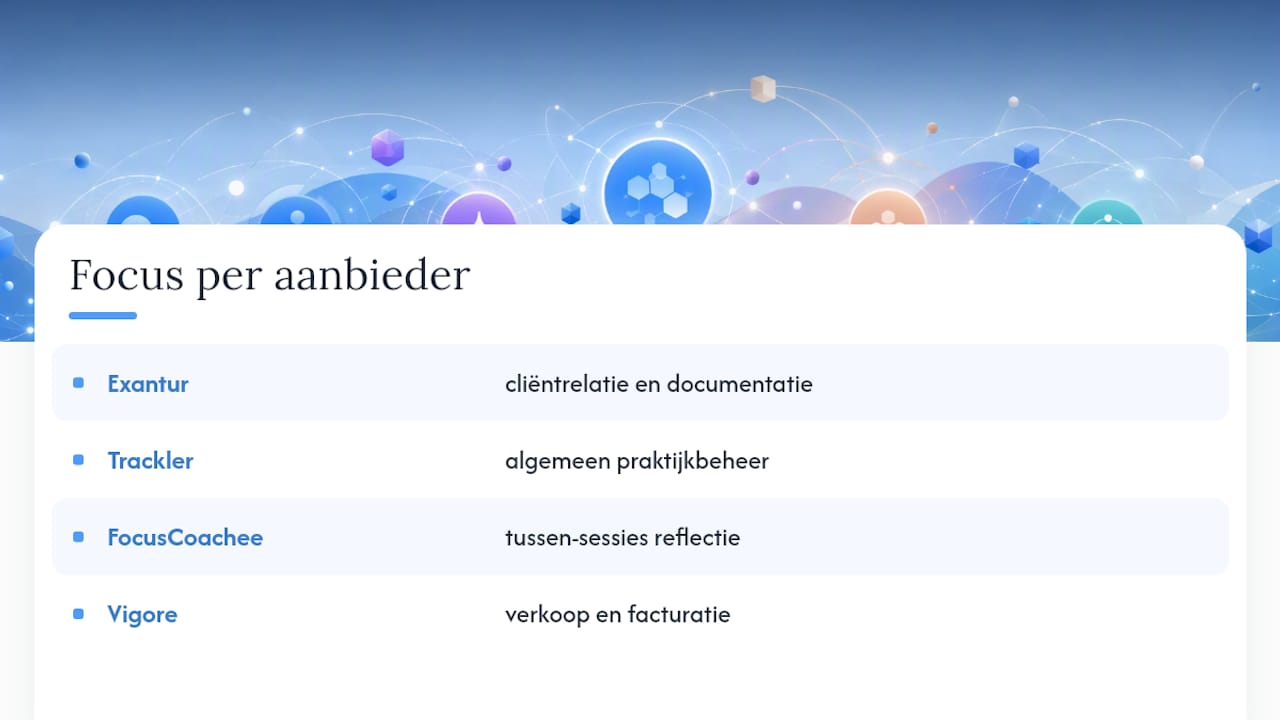
None of these profiles makes one provider objectively "better" than another. They differ in where the emphasis lies: client relationship and documentation with Exantur, general platform use with Trackler, reflection with FocusCoachee, sales and invoicing with Vigore.
How do you choose the right alternative for your practice?
A demo says little if you don't know what to look for. Use these eight points as a guide during every conversation with a provider.
- Can you structure programs with clear phases, goals and milestones?
- Does your client get their own portal to see progress and prepare?
- Do session notes remain searchable, even months later?
- Where are the servers located and is there a data processing agreement for GDPR?
- Can you send invoices without handing over a commission to the provider?
- Does the calendar work together with Google Calendar or Outlook, and with Zoom for video calls?
- Can you export your own data if you ever want to switch again?
- How quickly does customer service respond if you get stuck during a trial?
During a demo, always ask specifically about export options and about the GDPR statement. A provider that stays vague about where data is stored or how you can take your own client data with you is a red flag.
Pro tip: Don't test a trial with fake data, but with a real, ongoing program of an existing client (with consent). That way you immediately notice whether session notes and check-ins work in practice, rather than in an empty demo environment.
Why Exantur suits professional coaches
Exantur is developed around the coaching process itself: client management, structured programs, searchable session notes and features for progress and accountability form the core, not an add-on to a general tool.
Coaches who choose software with EU hosting and a clear data processing agreement often notice that clients and HR departments agree to the collaboration more quickly. GDPR stands for the General Data Protection Regulation, the European privacy law that governs how you may process clients' personal data.
That combination of GDPR-focused hosting within the EU and coaching-specific features saves time in practice: no separate note-taking app alongside a separate CRM system. Larger practices also get team features and 360° feedback. Read more about the setup on the coaching practice management software page.
What a switch costs in time and money
The pricing model of coaching software varies greatly per provider: some charge per user per month, others per number of active clients, and some take a commission on every invoice that runs through their system. The latter form often seems cheap at sign-up, but becomes more expensive as your revenue grows.
The real cost picture is not just about the subscription price. Also factor in the time you currently spend retyping notes between a note-taking app and a CRM, or manually sending invoices after each session. Coaches who guide five to ten client programs at once often save more on administration time than on the monthly software cost itself. One workspace where session notes, goals and invoicing come together saves not only money but above all repeated work.
Use a calculation tool such as the coaching software stack calculator to place your current tools alongside an integrated alternative. Enter what you currently pay for a calendar app, an invoicing program and a note-taking tool together, and compare that with one subscription that bundles everything. Often the difference turns out smaller than expected, or actually larger in time than in euros.
Hidden costs and contractual obligations when switching
A low entry price doesn't tell the whole story. Watch out for three things before you sign: commission on invoicing, notice periods and export options.
Some platforms charge a percentage on every payment a client makes through their system. With a few sessions per month that's manageable, but with a practice that invoices multiple clients weekly, it adds up. Exantur works with invoicing via the coach's own Stripe account, without Exantur taking a commission on it.
Also look at notice periods and automatic renewal. Many subscriptions automatically continue into the chosen paid plan after a trial, unless you cancel in time. That's normal in the sector, but always ask when and how you can cancel before starting a trial.
The last, often underestimated cost item is export options. Can you take all your client data, notes and programs with you if you ever want to switch? A provider that doesn't answer that clearly makes you dependent on one system. Ask this explicitly during a demo, not only after signing.
Ease of use and support with coaching software
Software that can do a lot but feels incomprehensible is often barely used after a month. For coaches without a technical background themselves, a clear workspace is more important than a long feature list.
Notice how quickly you can create a client, schedule a session and find a note again without consulting a manual. A good sign is a client portal that also feels logical for the client themselves: can that person log in without explanation and view their own goals and progress?
Support also makes the difference during the first weeks. Ask how you can get help with questions: via email, chat, or only a knowledge base. A provider that responds quickly and personally during your trial gives a good indication of what you can expect once you're a paying customer. Also ask whether there's help transferring existing client data, because that's often the trickiest part of a switch.

What users say about coaching software
Reviews of coaching software vary greatly per person, because coaches have very different working methods. A coach who mainly guides one-on-one programs values different things than a coach who sells group training and packages to companies.
Recognisable themes in what coaches report are: less time spent retyping between tools, more overview of where a client is in the program, and more peace of mind because data is no longer scattered across separate apps. Coaches who previously worked with a note-taking app alongside a separate invoicing program often mention the combination of session notes and client management as the biggest difference after a switch.
What coaches are more critical about is the learning curve with more extensive platforms with many settings. The more features a system offers, the more important it is that the basics, such as creating a client or scheduling a session, remain simple. So during a trial, don't just ask what is possible, but also how many steps something takes in practice. That difference between "can it be done" and "does it feel light" often determines whether software is still used daily after three months.
What this comparison really teaches you
The biggest misconception when choosing coaching software is that more features are always better. That's not true. A coach who mainly wants to strengthen reflection between sessions has little use for extensive invoicing modules. A coach who sells packages to companies has little use for a system that is only strong in session notes without a good booking function.
Where the common advice often falls short is on privacy. GDPR hosting is too often treated as a checkbox rather than as a serious selection criterion. Yet it is precisely that, together with clear agreements about data management, that determines whether a client or HR department agrees to your way of working without discussion.
My advice: don't start with the feature list, but with your own bottleneck. Are you losing time retyping between tools? Then choose an integrated workspace like Exantur. Is it mainly about session continuity? Then a session-oriented tool makes more sense. Let the choice depend on what you actually miss now, not on what a provider presents as most impressive.
— Martijn
How to get started with Exantur today
Still hesitating between a broad workspace, a session-oriented tool or a booking platform? Exantur is the coaching-native option for coaches who want client management, session notes and privacy in one system, without piecing together separate tools. You pay no commission on invoicing, you invoice via your own Stripe account, and your data is hosted within the EU.
Want to know first what a switch delivers financially? Fill in the coaching software stack calculator and compare your current tools with one integrated subscription. Ready to experience it yourself? Start the free 14-day trial via the Exantur product page and test it with a real, ongoing program. If you don't cancel before the end of the trial, the chosen paid subscription automatically takes effect.
Frequently asked questions
What is a good alternative to Trackler?
Exantur is a coaching-native alternative with client management, searchable session notes and GDPR-focused EU hosting. Other options like FocusCoachee and Vigore are a better fit if you mainly want session reflection or booking and invoicing.
Are there free Trackler alternatives?
The providers discussed work with a paid subscription, although most offer a free trial to test the system first. Exantur, for example, offers 14 days of free access at no cost during the trial.
How do I choose between Exantur, FocusCoachee and Vigore?
Choose Exantur if you want to put program management, a client portal and privacy front and centre. Choose FocusCoachee if reflection between sessions is your biggest priority, and Vigore if you mainly want to book and invoice packages or individual sessions.
Do these alternatives also work for coaches who work with companies?
Yes. Vigore, for example, is strong in package and invoice management for employer-paid programs, while Exantur offers team features and reporting for larger coaching organisations.
What should I check before switching to new coaching software?
Always ask about export options for your client data, the notice period after a trial, and where the servers are located with regard to GDPR. A provider that stays vague about this is a sign to be extra careful.