
A GDPR-compliant digital intake for coaches within a week
A GDPR-compliant digital intake for coaches within a week

A good digital intake gives you two things straight away: less administration and a client who starts the first session well prepared. Make sure you have a privacy statement, a timestamp for every consent, and structured questions about the support question and goals. A tool like Exantur helps you set up that process. Use the step-by-step plan and the checklist below, and you can have a working intake form up and running today.
In short:
- A short, phased intake with only the core questions increases response and provides enough information for the first session.
- Sensitive health data requires explicit, active consent with a timestamp, not a pre-ticked box.
- A privacy statement must be visible before the form is filled in and clearly indicate which data is collected and why.
- Automating session summaries and scheduling saves coaches time and strengthens the structure of the coaching process.
- Using proper data processing agreements and a record of processing activities is essential, but software alone does not automatically make your practice GDPR-compliant.
Table of contents
- Step-by-step plan for an effective intake flow
- Privacy and GDPR: what should your intake form contain?
- Which fields and assessments belong in your intake form?
- Implementation checklist: live within a week
- A practitioner's perspective: common pitfalls and small wins
- Practice management with Exantur: intake and follow-up in one place
- Sources
- Frequently asked questions
Step-by-step plan for an effective intake flow
Before you build a form, first decide what the intake needs to deliver. An introductory conversation calls for a limited number of questions. A comprehensive intake for a longer coaching process requires more depth, but never a form that feels like a job application.
Here's how to build an intake flow that doesn't put your client off while still giving you the information you need:
- Determine the purpose and scope. Decide whether it's a short introduction or a full intake for a coaching process. That determines the length of your form.
- Select your questions critically. Ask about the support question, desired goals and relevant background. Only ask about health if it's functionally necessary for the process, and never as standard.
- Set up the technical side. Choose a form platform, ensure secure storage of the answers, and set up a notification for when someone fills in the form.
- Automate the follow-up. Connect a scheduling tool so that a confirmation and, if applicable, a preparatory assignment are sent automatically after the form is completed.
- Prepare the first session. Work with a fixed format for your summary: support question, notable signals and provisional action points.
AI agents and automated workflows can largely take over intake, scheduling and follow-up, which saves coaches a noticeable amount of administrative time, as long as the settings for consent and storage are correctly configured in advance, according to Match-AI.
Pro tip: Never send an intake form without a short welcome message beforehand. Clients who understand why you're asking something fill in the form more completely and honestly.
Privacy and GDPR: what should your intake form contain?
Questions about health, medication or mental health complaints fall under special categories of personal data. The Dutch Data Protection Authority states that these kinds of questions require strict processing conditions, with explicit and active consent as the basis, not a pre-ticked box somewhere at the bottom of the form.
A strong privacy statement is not a legal appendix you hide away somewhere. It must be visible before someone fills in the form and clearly explain which data you collect, why, how long you keep it, and how a client can exercise their rights, as a practical GDPR step-by-step plan for coaches shows.
Check these points before your form goes live:
- An active, non-pre-ticked box for consent to sensitive questions.
- A timestamp that records when and to what someone agreed.
- A privacy statement that is visible above or next to the input field, not only in the footer.
- A list of external parties (form platform, scheduling tool, email provider) that touch the data.
- A data processing agreement with every party that processes or stores client data.
Coaches must also maintain a record of processing activities, documenting per tool which data is processed and on what legal basis, so that if a client raises a question or an audit takes place, you have immediate insight into what happens to the data, according to Verwerkingsregister. Using software, incidentally, does not automatically make your practice fully GDPR-compliant. That remains human work: you decide which questions you ask and how you record consent.
Which fields and assessments belong in your intake form?
A good intake form follows a logical structure: first contact details, then the support question, then relevant background, and finally expectations for the process. That order feels natural to the client and avoids starting with the heaviest question.
Useful elements to include:
- Contact and practical: name, email, preferred session format (online or on location).
- Support question: what the client wants to achieve and what the immediate reason is.
- Background: relevant work situation, previous coaching or therapy experience, only where functional.
- Expectations: what the client hopes to get out of the process and at what pace.
Short assessments such as a DISC profile or the Wheel of Life give you an immediate starting point in the first session without having to spend a whole hour on exploratory questions. A coachee portal reinforces this further: the client prepares the session themselves, fills in check-ins, and has shared documents and assignments in one place. For yourself, it's just as important that intake data remains searchable, so that at session five you can still quickly find what came up during the intake.
Implementation checklist: live within a week
You don't have to wait weeks to get started. A working intake flow can be up and running within a week if you follow this order:
- Choose your platform and set up the form fields according to the structure from the previous section.
- Test the consent flow: fill in the form yourself and check whether the timestamp is stored correctly.
- Connect your calendar to the form so that confirmations are sent automatically, and run two or three trial intakes with colleagues or existing clients.
- Evaluate after four weeks: where do people drop off, which question causes confusion, what are you missing in the summary.
- Put together a template structure with a short suggestion per field, so that you can easily adapt the form per type of coaching process.
Pro tip: After the first five intakes, actively ask for feedback: “Was there a question that was unclear?” That often yields more than half an hour of puzzling over the form text yourself.
Don't want to start from scratch? A free intake form template gives you a starting point that you can adapt directly to your own practice.
A practitioner's perspective: common pitfalls and small wins
The biggest mistake I see coaches make is an intake form with twenty questions because “more information never hurts”. The opposite is true: a long form lowers the response rate, and a short, phased intake structurally works better. At the start, ask only what you really need for the first session, and go deeper as the process unfolds.
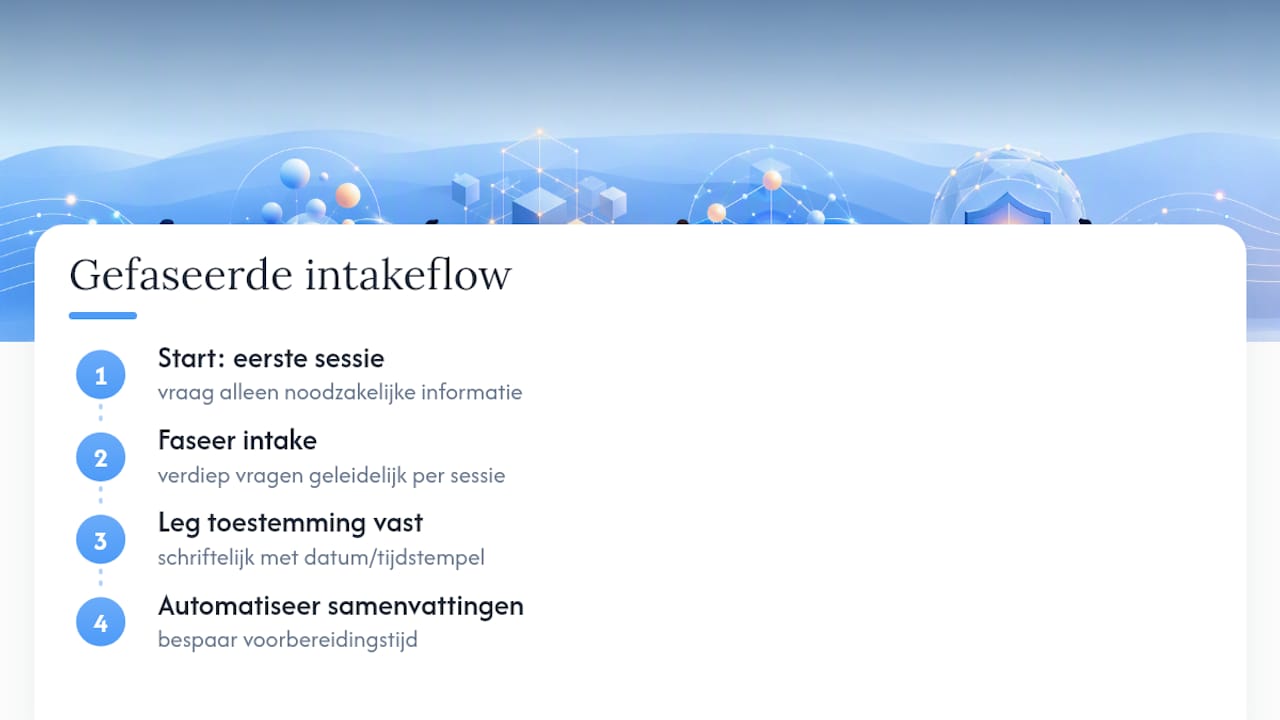
The second pitfall is underestimated but risky: consent that isn't recorded anywhere. A verbal “yes, that's fine” during a phone call is not proof. If a question ever arises about what exactly a client agreed to, you want a timestamp, not a memory.
What does deliver a lot: automate your session summary. Coaches who keep doing this manually structurally lose preparation time they could just as well have spent on their client.
— Martijn
Practice management with Exantur: intake and follow-up in one place
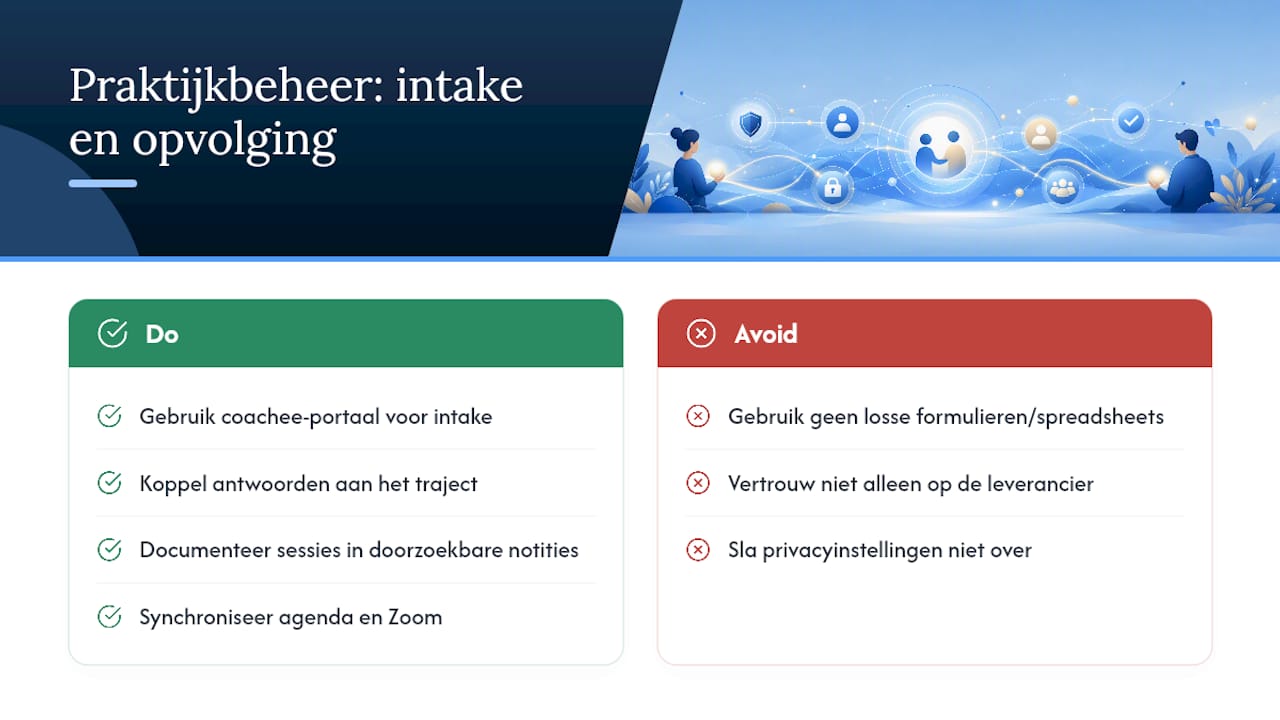
Exantur is the practice solution for coaches who no longer want to keep the administration around intake and follow-up scattered across separate forms, spreadsheets and emails. Clients fill in their intake form via their own coachee portal, after which their answers stay automatically linked to the right coaching process. You then document sessions in searchable notes, with observations, insights and action points findable in one place. Calendar synchronisation with Google Calendar and Outlook and a Zoom integration ensure that scheduling and confirming is no longer a separate process alongside your intake.
On the privacy side, Exantur opts for hosting within the EU, with technical measures such as encryption and two-factor authentication (MFA, an extra login step alongside your password) and a data processing agreement. That's a practical, GDPR-aware foundation, although it remains your responsibility to set up consent and questions properly yourself. Take a look at the best practice management software for coaches and start the trial period to see how intake and follow-up come together in one workspace.
Sources
For the legal side of your intake, the Dutch Data Protection Authority on health data and the record of processing activities for coaches are a good starting point. If you want to build a survey or form yourself, Foursmileys offers a practical explanation. Check your own setup with Exantur's GDPR check for coaches.
- Dutch Data Protection Authority — health theme
- Record of processing activities for coaches & therapists
- AI Agents for Coaching Practices and Career Guidance | Match-AI | AI Academy
Frequently asked questions
What exactly is digital intake coaching?
Digital intake coaching is the online collection of a new client's support question, goals and relevant background, usually via a form, before the first session begins.
Do I always have to ask for consent for health questions?
Yes. Health questions are special categories of personal data and require explicit, active consent with a recorded timestamp, never a pre-ticked box.
How long should an intake form be?
Short and phased works best: start with three to five core questions and go deeper during the coaching process rather than asking everything up front.
Do I need a data processing agreement for my form platform?
Yes. As soon as an external party processes or stores client data, such as a form platform or scheduling tool, you need a data processing agreement with that party.
Can software make my practice fully GDPR-compliant?
No. Software like Exantur supports GDPR-aware processing with EU hosting and security, but asking the right questions and recording consent remains your responsibility.