
Best task management coaching: why Exantur suits solo coaches
Best task management coaching: why Exantur suits solo coaches

For professional solo coaches and small coaching practices, Exantur is currently the most practice-oriented choice for task management. The reason is simple: the system is built around the coaching process itself, not around generic projects or sales.
Task management means something different in coaching than in an office environment. It's about action points you agree on with a client, check-ins between sessions, goals you track together, and progress you can review afterwards. Every task belongs to a specific client and a specific program, not floating loose in a general list.
What makes Exantur suitable for this work?
- Tasks and action points stay linked to the right client record and program
- Data is hosted within the EU, with attention to GDPR-conscious processing
- Calendar, Zoom and invoicing are directly connected to the practice
Exantur is specially developed for solo coaches and small practices, with features such as client records, goal tracking, assessments and a dedicated portal for the coachee.
Key insights
In coaching, task management only works well when action points, check-ins and progress stay linked to the right client record and program.
| Point | Details |
|---|---|
| Link tasks to programs | Loose action points without client context get lost; always link them to a record and goal. |
| Start with a pilot | Test with one program and a small group of clients first before rolling out widely. |
| Arrange privacy up front | EU hosting, MFA and a data processing agreement are the technical foundation, not a replacement for your own GDPR arrangements. |
| Measure after four to eight weeks | Look at fewer open actions and more responses to check-ins as a sign of success. |
| Choose your platform deliberately | Exantur is built around the coaching process and combines tasks, notes and client management in a single workspace. |
Table of contents
- Which task management features do you really need as a coach?
- Step by step: introducing task management into your practice
- Evidence and privacy: what Exantur delivers for your practice
- How a solo coach experiences the switch
- Get started right away with task management that fits coaching
- Sources
- Frequently asked questions
Which task management features do you really need as a coach?
Not every feature in a task management system is equally useful for coaching. Some are indispensable, others are just noise. Five features make the difference between a system you use every day and one you abandon after two weeks.
- Tasks linked to client and program. An action point disconnected from its context is worthless. For every task you want to see immediately: which client, which program, which session it belongs to.
- Check-ins between sessions. Coaching doesn't stop at the end of a conversation. A good check-in lets a client report in between how they're doing with an agreed action, without you having to call or email.
- Goal tracking and linked assessments. Goals you never revisit tend to disappear. With instruments like a DISC profile or the Wheel of Life, you establish a baseline you can later refer back to concretely.
- Searchable session notes that link to tasks. An observation during a session often leads to an action point. If notes and tasks sit separately, you're constantly searching. Our guide on writing session notes shows how to structure this properly.
- Booking and calendar integrations that trigger tasks. When a client books a session, you want a reminder and a preparation task to be created automatically, rather than having to set them up yourself.
Exantur brings these features together in a single workspace. Sessions are recorded as observations, insights, breakthroughs and action points, and those action points stay visible until they're completed. Calendar synchronization with Google Calendar and Outlook, together with Zoom integration and invoicing via the coach's own Stripe account, ensures a booking automatically sets the right reminders and tasks in motion.
Pro tip: Link every action point directly to the goal it belongs to. Then, during a check-in, you can see at a glance whether a client is really getting closer to the end goal, instead of just ticking off loose tasks.
Step by step: introducing task management into your practice
Introducing a new system won't happen in a single afternoon, and it doesn't need to. A phased approach works better than overhauling everything at once.
- Start with one program and one task template. Choose a client or a small group and build a fixed task template for it. That way you test the setup without turning your whole practice upside down.
- Create standards for check-ins and recurring actions. Decide which questions a check-in always includes and how often it recurs, for example weekly between sessions.
- Set up roles and test with a small group of clients. A short pilot with real clients shows whether your way of working truly matches the system, before you switch over completely.
- Measure the results after a period of several weeks. Look at concrete signals: fewer open actions left lingering, more responses to check-ins, less time spent searching for notes.
- Make it your standard way of working. Once the pilot works, expand to your entire client base and build new intakes straight away following the same structure.
When it comes to cost, a simple rule of thumb applies. Separate tools for calendar, invoicing, notes and video calls often add up to more than a subscription that combines everything. For coaches with just a few clients, that difference is small, but as your practice grows, an integrated platform becomes more attractive because it saves time and provides overview.
Practical matters to arrange in advance:
- Choose an intake moment where you start straight away with the new system
- Briefly inform existing clients about the client portal before you go live
- Set aside a few hours to transfer old notes or appointments
Evidence and privacy: what Exantur delivers for your practice
For coaches who work with personal and sometimes sensitive information, privacy is not a side issue. It's a condition for doing your work well.
Exantur hosts data in the European Union, in Frankfurt, and offers multi-factor authentication (MFA). MFA means that when logging in, in addition to your password you also need a second confirmation, for example via your phone. That makes it much harder for an unauthorized person to access client data, even if a password leaks. In addition, Exantur offers a data processing agreement, the document that sets out how personal data is handled in accordance with the GDPR.
- EU hosting of client data
- Multi-factor authentication at login
- A data processing agreement that supports GDPR-conscious processing
- An optional AI assistant that drafts session summaries without sending client-identifiable data to the model
Important to realize: software alone does not automatically make your practice fully GDPR compliant. You remain responsible for how you handle client data, which agreements you make, and how you deploy AI in your work.
A practical framework for the GDPR and the use of AI helps organizations work responsibly with personal data, rather than fixing problems after the fact.
Those who want more certainty could consider taking a masterclass on the GDPR and AI to review their own practice.
How a solo coach experiences the switch
Coaches who switch to a single system for tasks and client records usually notice the first effect within a few weeks: less time spent figuring out who was supposed to do which action again. Check-ins that come in automatically make a concrete difference in the number of messages and stray emails between sessions.
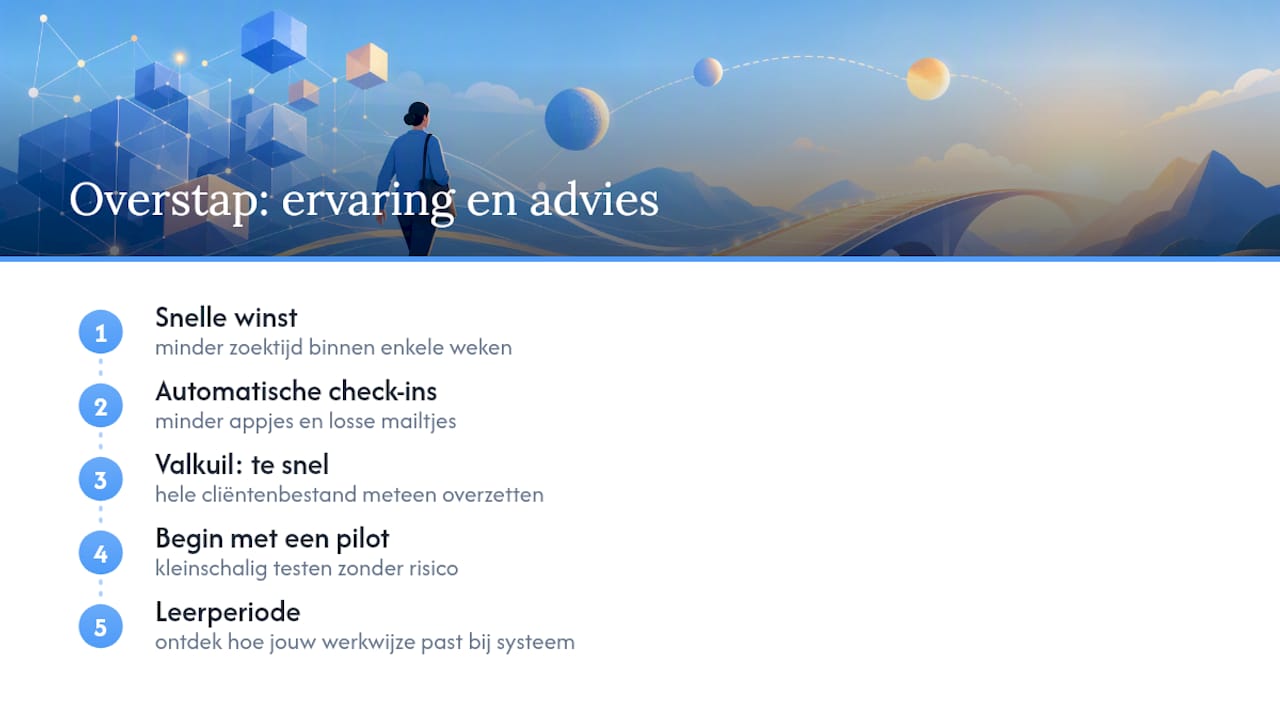
The most common pitfall is wanting to do too much too quickly. Anyone who moves their entire client base over at once runs into small setup errors that are easier to correct with a small group. So always start with a limited pilot before rolling out widely.
A trial period helps you test this without risk. During such a period you mainly discover how your own way of working relates to the structure of the system, and that's exactly what you should pay attention to before making a final choice.
Get started right away with task management that fits coaching
Separate tools for calendars, notes and invoicing work fine, until the moment you notice how much time it takes to connect everything. Exantur solves this by putting tasks, session notes, goals and check-ins into a single workspace built specifically for coaching, not adapted from a generic tool.
You can try it free for fourteen days at no cost during the trial period. After that, the chosen paid subscription starts automatically unless you cancel beforehand. Take a look at the coaching software for the Dutch market or first check the full feature overview to see exactly what's included.
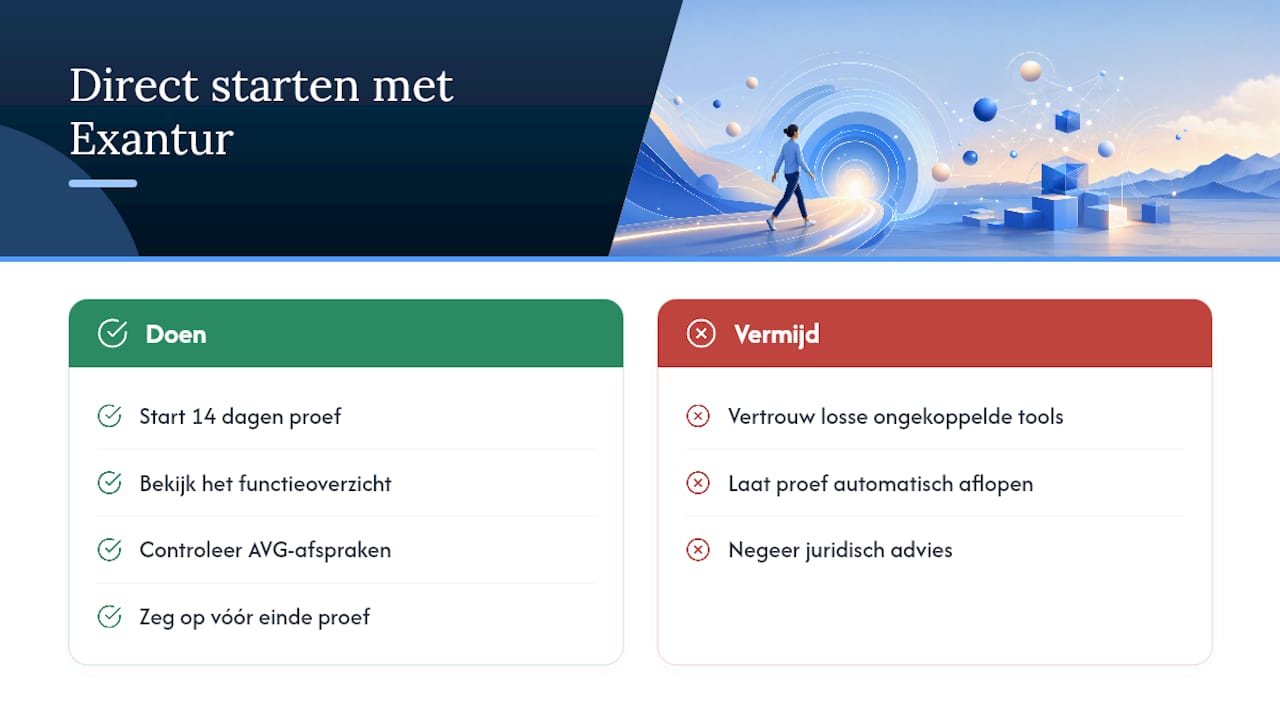
Please note: Exantur supports GDPR-conscious processing of client data, but legal advice and your own internal arrangements remain necessary for your practice to fully comply with the rules. Start the trial period and discover within a few days whether the way of working fits your practice.
Frequently asked questions
What exactly does task management mean in coaching?
It's about action points, check-ins, goals and progress that you track per client and per program, rather than a general to-do list.
Is Exantur suitable for a small practice with one coach?
Yes, Exantur is built specifically for solo coaches and small practices, with features such as client records, goal tracking and a coachee portal.
Does software automatically make my practice GDPR compliant?
No. EU hosting, MFA and a data processing agreement help with GDPR-conscious processing, but you remain responsible for your own agreements and procedures.
How long does it take to switch to a new system?
Plan for a pilot of four to eight weeks with a small group of clients before you move the rest of your practice over.
Can I try Exantur first?
Yes, Exantur offers a free fourteen-day trial. After that, the chosen paid subscription starts automatically unless you cancel beforehand.