
Comparing Coaching Software: What Really Matters
Comparing coaching software: what really matters

First decide what you need, then what it costs. Define your functional profile and your privacy level before you look at prices, because that's where the real differences between the options lie. This guide places the best-known names side by side, from Exantur to Paperbell, and shows which coach suits which platform. At the end you'll find a comparison table and a step-by-step plan for switching.
In short:
- A coaching platform should keep pace with your practice's growth, because with many options the client limits and costs don't change as the practice expands.
- Privacy provisions such as hosting in Europe, data processing agreements and multi-factor authentication are essential, especially when handling sensitive client data.
- Practical features such as automatic reminders, invoicing and connections with calendars and video services can save coaches considerable time, but check that they actually work well.
- Exantur offers an all-in-one workspace for client management, session notes, goals and assessments, with a strong focus on privacy and European hosting.
- Don't choose on price alone, but above all on the price per active client, because cheap packages can quickly become more expensive as your practice grows.
Table of contents
- What should you look for when choosing coaching software?
- Which coaching software suits which type of coach?
- Comparing coaching software on price, privacy and features
- How we compared this coaching software
- How do you switch to new coaching software?
- What features do coaching platforms actually offer?
- How flexible are the contract terms?
- What do users say about coaching software?
- What a coach with years of experience would have told you
- Exantur: one workspace for your entire coaching practice
- Sources
- Frequently asked questions
What should you look for when choosing coaching software?
A few choices determine almost everything. The rest is a matter of taste.
Pricing structure and trial period. Don't just look at the entry-level monthly amount. Pay attention to what happens as your number of clients grows, and whether there are extra costs for additional storage or additional team members. Many providers offer a free trial period, and that's the best way to test whether a client portal feels comfortable before you sign.
Client limits and growth. A package that fits perfectly with ten clients may feel cramped with thirty. Ask in advance what an expansion costs, not only after purchase.
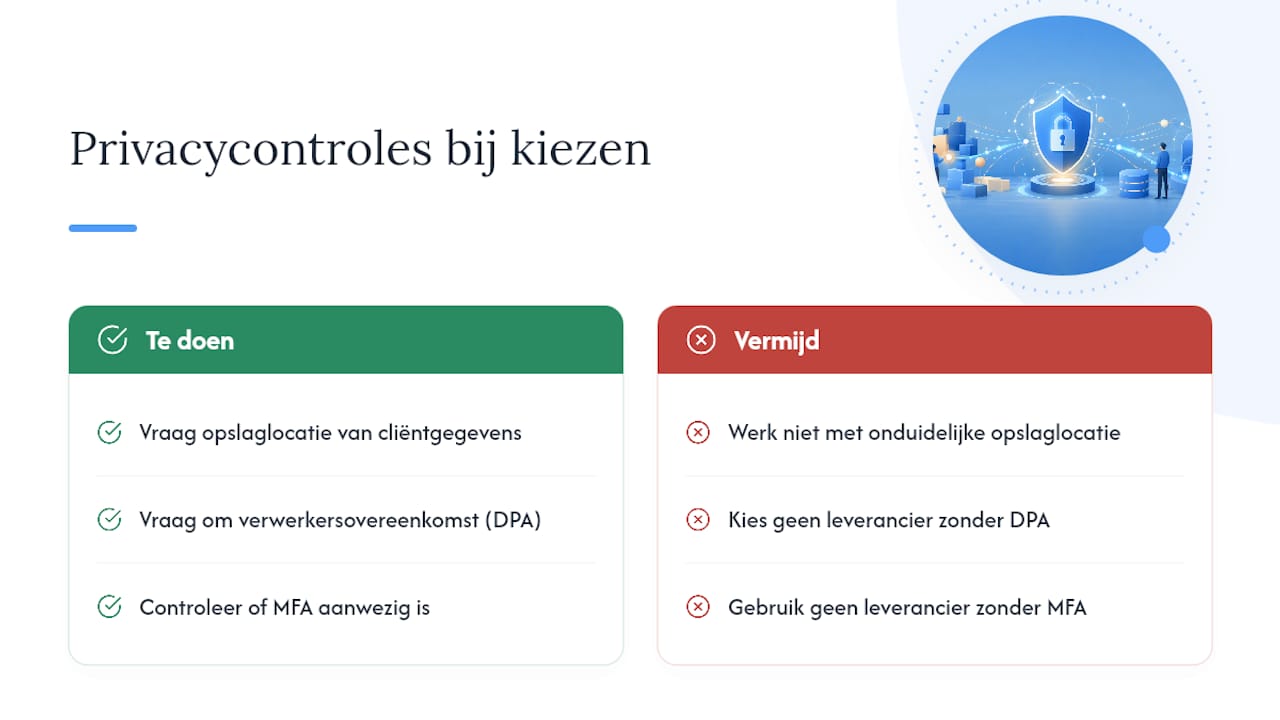
Privacy and GDPR. The GDPR is the European law that governs how you handle clients' personal data. Ask where your clients' data is stored, whether there is a data processing agreement (a document in which the provider sets out how it handles your client data) and whether there is MFA, an extra login step alongside your password that better protects accounts.
Ease of use and client portal. Can clients view their goals and complete a check-in themselves, without you having to explain how it works?
Integrations. Does the calendar sync work in both directions, does Zoom connect automatically, and can you collect payments directly?
Automation. Session reminders and automatic invoices typically save coaches the most time, as several buying guides on coaching software show. With AI features, do check which data goes out.
Pro tip: Don't calculate with the starting price, but with the price per active client. A cheap package with a low client limit can turn out more expensive than a pricier package without a limit, especially as your practice grows.
Which coaching software suits which type of coach?
Ten names keep coming up in comparisons. Here's what each platform actually does.
- Exantur is built around the coaching process itself: client management, session notes, goals and a client portal in one workspace, with hosting in Europe.
- Coachsoft is mainly known from Dutch comparison websites and focuses on local recognisability.
- Blooom is mentioned as a compact Dutch option for coaches looking for a simple practice flow.
- Trackler appears in comparisons as a tool with an emphasis on scheduling and workflow features.
- Apollo.coach targets coaches who work with programmes and packages.
- Simply.Coach is described as a light, goal-oriented solution without unnecessary extras.
- Paperbell revolves mainly around selling packages and handling payments.
- iSpring LMS is actually a learning platform, but is often included because it links course material to coaching programmes.
- Profi is mentioned as an option for coaches who want to bundle administrative tasks.
- Boeked is a Dutch tool that focuses on merging standalone tools into a single workflow.
This list gives you direction, but says nothing yet about price or privacy. You'll see those differences in the table below.
Comparing coaching software on price, privacy and features
"Best for" shows which type of practice a platform most logically serves, not which platform "wins". With "client limit", the question is whether a package grows with your practice or whether you have to upgrade quickly. For most of the platforms above, price, client limit and hosting location cannot be found publicly; ask the provider directly before you make a choice.
How we compared this coaching software
This comparison is based on provider information and industry comparisons, checked in 2026. We looked at three things: what a platform costs, how it handles client data and which integrations it offers.
- Sources: provider pages, Dutch comparison articles on coaching software and international buying guides.
- Criteria: pricing structure, client limits, privacy and hosting, integrations, automation and ease of use.
- Limitations: not every platform publishes its prices or hosting location openly, and we have not tested every platform ourselves on all features. Where information was missing, that is indicated in the table rather than guessed.
How do you switch to new coaching software?
A switch goes wrong if you rush it. Build it up calmly.
- Export your current data. Retrieve client data, notes and documents from your old system and check right away whether that is in line with the GDPR.
- Run a short test migration. Move five to ten active clients over and let them run for a few weeks before you flip the switch. That exposes unforeseen problems before you make big mistakes, as the experience of Dutch coaches who switched shows.
- Communicate with clients. Briefly explain what changes in their portal, so no one misses a check-in.
- Test critical features before going live. Calendar synchronisation, invoicing and the client portal must work before you move your entire practice over.
Pro tip: Run old and new software side by side for a few weeks, even if it feels like duplicate work. That overlap prevents your clients from missing anything during the switch.
What features do coaching platforms actually offer?
The basics are the same at almost every platform: client management, a calendar and some form of notes. The differences are in the details.
Exantur documents sessions as searchable notes, divided into observations, insights, next steps and action points, and links them directly to the right programme. Platforms such as Apollo.coach and Paperbell put the emphasis on selling programmes and packages, while iSpring LMS is mainly strong at creating and distributing course material. Simply.Coach and Blooom opt for a lighter setup, with fewer components but a shorter learning curve.
Assessments such as a DISC profile or a Wheel of Life are not standard everywhere. At Exantur they are part of the core feature and remain linked to the right client and the right programme, including intake forms and assignments. At platforms that focus more on booking and payment, such as Paperbell, the emphasis lies elsewhere and for extensive assessments you'll more often reach for a separate document or external form.
Automation also differs considerably; session reminders and automatic invoices typically save coaches the most time, as several administrative support solutions show. Session reminders and automatic invoicing are present at most platforms, but an AI feature that drafts session reports or final reports from your own notes is less common. Ask each platform specifically which data goes to an external model in the process.
How flexible are the contract terms?
Not every platform ties you down in the same way. Some coaches only discover after signing that cancelling is harder than signing up.
Monthly subscriptions give more freedom, but are often more expensive than an annual subscription. At some platforms the Starter package costs €49 per month or €490 per year, which amounts to two months free with an annual choice. You see that pattern at multiple platforms: paying annually often earns a discount, but you're also locked into that choice for longer.
Also pay attention to what happens after a trial period. After a free trial period, the chosen paid subscription usually starts automatically, unless you cancel beforehand. That's a common approach in the sector, but not every platform communicates it equally clearly. So always ask how cancelling works and whether your data remains exportable if you decide to leave.
Extra costs for team members, storage or custom branding are another point to check. Some providers charge those separately per month, others bundle everything into a higher package. Ask about this before you sign, not only when the first invoice arrives.
What do users say about coaching software?
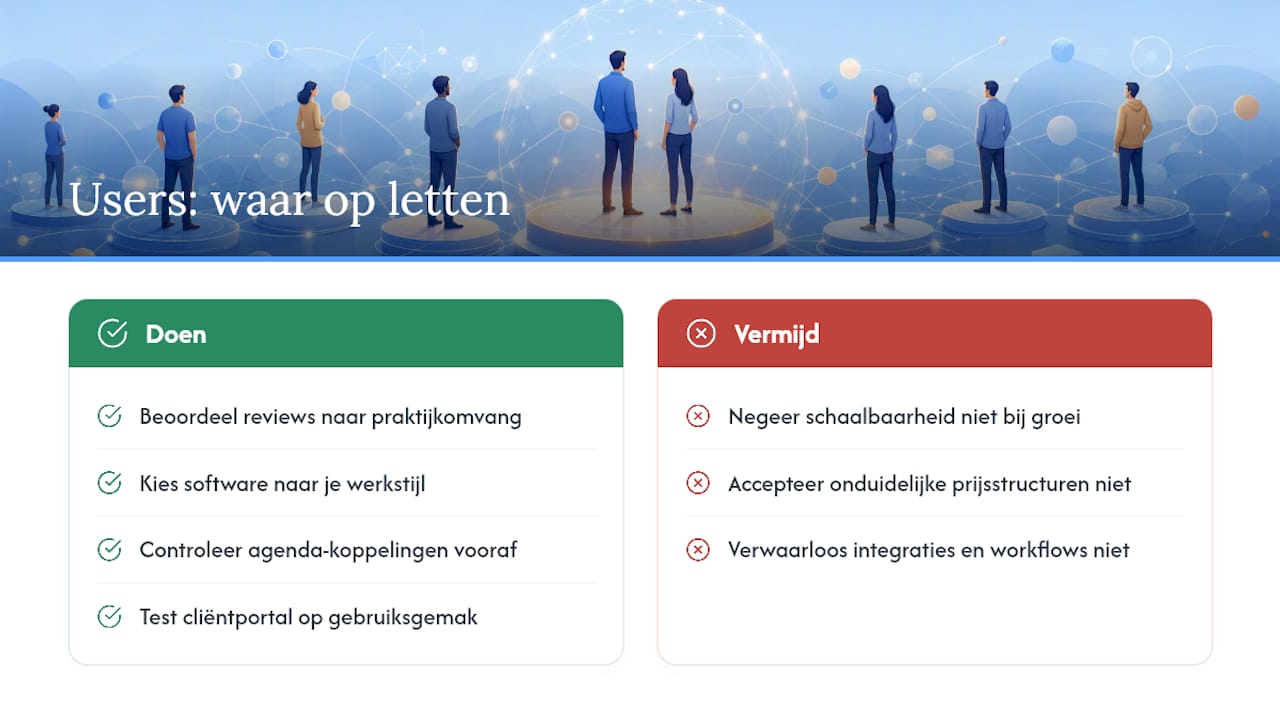
Reviews from coaches themselves vary widely, and that often has to do with what a coach is specifically looking for. A coach who mainly wants to send invoices is satisfied with a simple tool. A coach who guides months-long programmes with interim check-ins has different expectations.
Recurring complaints in reviews concern poor calendar integrations, unclear pricing structures that only become visible as you grow, and client portals that feel too complicated for clients who have to fill in their own progress. Positive experiences mainly mention time savings: less back-and-forth emailing about appointments, and less time spent retyping notes into a separate document.
What stands out in industry research from the International Coach Federation is that the coaching market is becoming more professional, with more coaches working structurally with fixed programmes and measurable goals. That explains why software choices are being taken increasingly seriously: a loose system of spreadsheets and email no longer suffices once a practice grows. So always assess reviews in the light of your own practice size, not as an absolute verdict on a platform.
What a coach with years of experience would have told you
Coaches underestimate how heavily privacy and a consistent client experience weigh against saving a few euros a month. A migration always takes more time than planned, especially when clients have to work with it themselves. So use every trial period seriously: test the client portal yourself, not just the admin screen.
— Martijn
Exantur: one workspace for your entire coaching practice
Where most of the platforms above focus on one component, such as booking or course material, Exantur bundles client management, session notes, goals, assessments and a client portal into one workspace, built around the coaching process itself. Intake forms, DISC profiles and the Wheel of Life stay linked to the right client, and you record sessions as searchable notes with observations, insights and action points. Calendar synchronisation with Google Calendar and Outlook, Zoom integration and invoicing via your own Stripe account, with no commission, are included as standard.
For coaches who place great value on privacy, it's relevant that Exantur hosts in Europe, works with a data processing agreement and offers MFA as an extra security step. Test this yourself free for 14 days and check the current prices and packages to see which subscription suits your practice.
Sources
For market figures: the ICF Global Coaching Study. For comparison criteria: Comparing coaching software in the Netherlands and Exantur's offering for Dutch coaches.
- Comparing coaching software in the Netherlands (2026)
- 9+ Best coaching software of 2026: tested and compared
Frequently asked questions
What is a normal hourly rate for a coach?
Hourly rates for coaches vary widely, depending on specialisation, experience and region. There is no fixed national rate, and most coaches set their price based on their own positioning and target audience.
What does coaching software like Exantur cost?
Exantur offers various packages with prices ranging from an affordable entry-level monthly rate to a more extensive package for larger practices, with annual payment that can be more cost-effective. Check the full price list for all packages and add-ons.
Which tools are available for coaching?
Besides specialised coaching software such as Exantur, Simply.Coach and Paperbell, many coaches also use general tools such as calendars, video calling and standalone invoicing programs. The downside of standalone tools is that data becomes fragmented across multiple systems.
What are the 5 most commonly used coaching techniques?
Definitions of these vary by coaching approach, and there is no universally agreed list of five techniques. Commonly used approaches include goal-oriented questioning, active listening, the GROW model and reflective feedback.
How do I choose between Notion and specialised coaching software?
Notion is flexible and free to use, but it is not built around the coaching process: you have to build your own structure for goals, client portals and assessments. Specialised software such as Exantur already offers that structure ready-made, with its own client portal and linked session notes.