
Data security for freelancers: concrete steps for coaches
Data security for freelancers: concrete steps for coaches
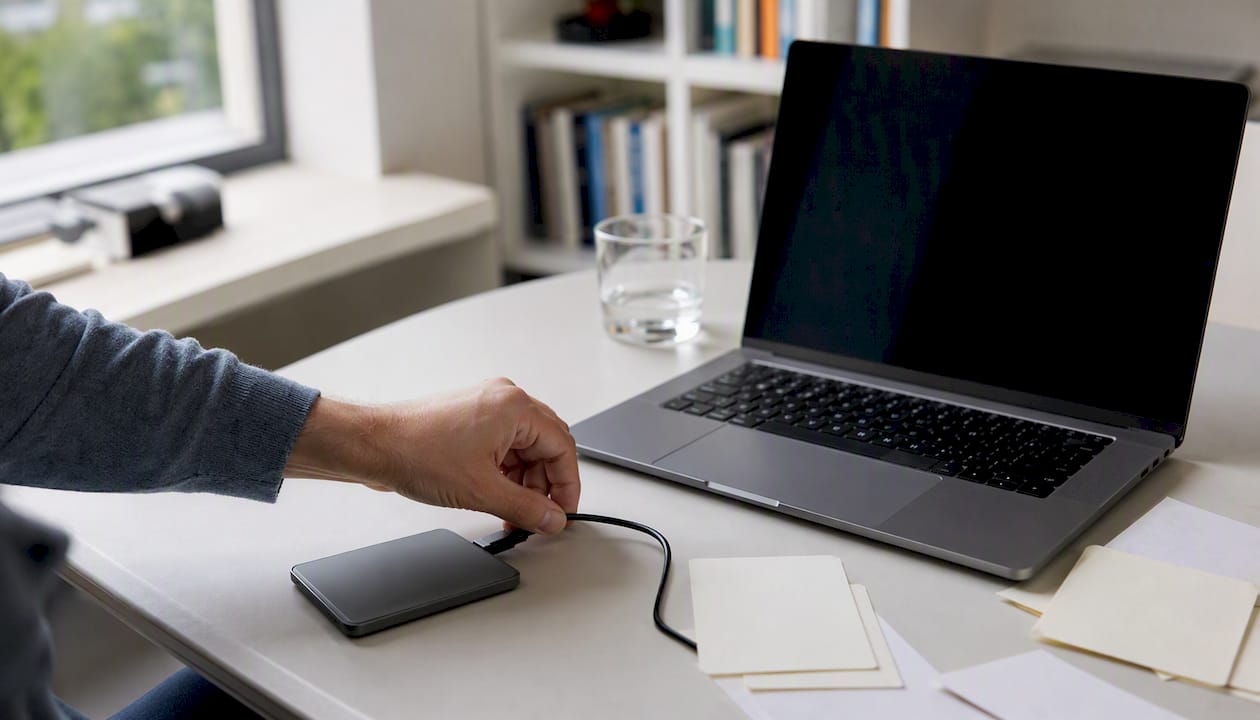
The three things you need to sort out today as a freelancer for data security are: strong passwords with multi-factor authentication (MFA), automatic backups of client data, and a simple processing register. After that, do the free CyberVeilig Check from the NCSC and within a few minutes you'll get a personal action list.
- Set a unique, strong password for every business account in a password manager such as Bitwarden or 1Password.
- Enable MFA: a second verification step via an app such as Google Authenticator or Microsoft Authenticator.
- Make an automatic, encrypted backup of your client files and test whether you can actually restore that backup.
- In a short processing register, record which personal data you process, for what purpose and how long you keep it.
- Request a data processing agreement from every software provider. Without that agreement, you process data outside the rules of the GDPR (General Data Protection Regulation, the European privacy law).
Pro tip: Set your phone and laptop to automatic updates and a screen lock after a maximum of two minutes of inactivity. That takes you five minutes and closes off one of the most common access risks.
Key takeaways
Data security for freelancers starts with three immediate actions: strong passwords with MFA, a tested backup, and a processing register with data processing agreements for all software providers.
| Point | Details |
|---|---|
| Start with the CyberVeilig Check | The free NCSC check gives you a personal action list within five minutes. |
| MFA is your strongest first line of defence | Enable multi-factor authentication for email, cloud storage and all platforms with client data. |
| Test your backup | A backup you can't restore offers no protection. Test recovery every month. |
| A data processing agreement is mandatory | Conclude a data processing agreement with every software provider that processes client data. |
| Report serious data breaches within 72 hours | In the case of a serious data breach, you must report it to the Dutch Data Protection Authority within 72 hours. |
This article contains general information and does not replace the advice of a qualified lawyer. Consult a qualified legal professional about your own situation before acting on the basis of this content.
Table of contents
- Why is data security so important for freelancers?
- How do you apply the NCSC's five basic principles as a freelancer?
- Which concrete measures protect your access, devices and backups?
- What do you need to legally arrange as a freelancer under the GDPR?
- Which questions do you ask a software provider about security?
- What do you do if a data breach or cyber incident happens anyway?
- Which free tools and checks are available for freelancers?
- What do you do on day 1, week 1 and month 1?
- What coaches often underestimate about data security
- Exantur helps coaches run a GDPR-aware practice
- Sources
- Frequently asked questions
Why is data security so important for freelancers?
As a freelancer, you work with clients' personal data: names, email addresses, and sometimes sensitive information about their work or personal situation. That makes you an attractive target for phishing (fake emails that lead you to a fake login page), identity fraud and ransomware (software that locks your files until you pay).
A data breach has direct consequences such as loss of client trust, possible temporary work disruption and the risk of a fine. The Dutch Data Protection Authority (AP) emphasises that security is an ongoing process and that you must be able to demonstrate how you secure personal data. The AP can take enforcement action if this is not in order.
The Digital Trust Center (DTC) and the National Cyber Security Centre (NCSC) call digital resilience a basic condition for doing business. The Cybersecurity Act (implementation of the European NIS2 Directive) formally applies to larger and critical organisations, but the underlying principles are the norm for freelancers too: measures must be proportionate and appropriate for your situation.
How do you apply the NCSC's five basic principles as a freelancer?
The NCSC describes five basic principles for digital resilience. They are intended as practical, achievable steps, for small entrepreneurs too.
-
Risk analysis. Map out which data you manage and what could go wrong. Consider: what happens if your laptop is stolen? Would you still have access to your client files? Write down the three biggest risks and note for each risk what you already do and what you're still missing.
-
Access and authorisation. Only give access to data to people who really need it. Use separate accounts for business and personal use. Delete accounts of former employees or interns immediately after they leave.
-
Backups. Regularly make a copy of your most important files in a location separate from your work computer. That can be an external hard drive, but also an encrypted cloud storage such as a GDPR-compliant service with EU servers.
-
Awareness and training. Recognise phishing. Always check the sender address of an email, don't click on links in messages you weren't expecting, and call a client back if a payment request feels unusual. Read a short update from the NCSC or DTC monthly to stay informed.
-
Cyber hygiene. Keep software up to date, don't use outdated programs, and remove apps you no longer use. The GDPR makes no exception for old software: outdated systems must also meet current security requirements.
Which concrete measures protect your access, devices and backups?
Passwords and MFA
A strong password has at least twelve characters and contains letters, numbers and punctuation marks. Never use the same password for multiple accounts. A password manager such as Bitwarden (free, open source) or 1Password stores all your passwords securely and generates new ones.
MFA (multi-factor authentication) adds a second step to logging in: in addition to your password, you confirm your identity via an app or SMS code. Enable MFA for your email, your cloud storage and every platform where client data is stored. For accounts with especially sensitive information, you might consider a physical security key, such as a YubiKey.
Backup strategy for coaches
A good backup follows the 3-2-1 rule: three copies of your data, on two different storage media, one of which is off your work premises. Concretely: your work computer, an external drive at home, and an encrypted cloud storage. Set up automatic backups so you don't have to think about it. Test every month whether you can actually restore a file, because a backup you can't recover is worthless.
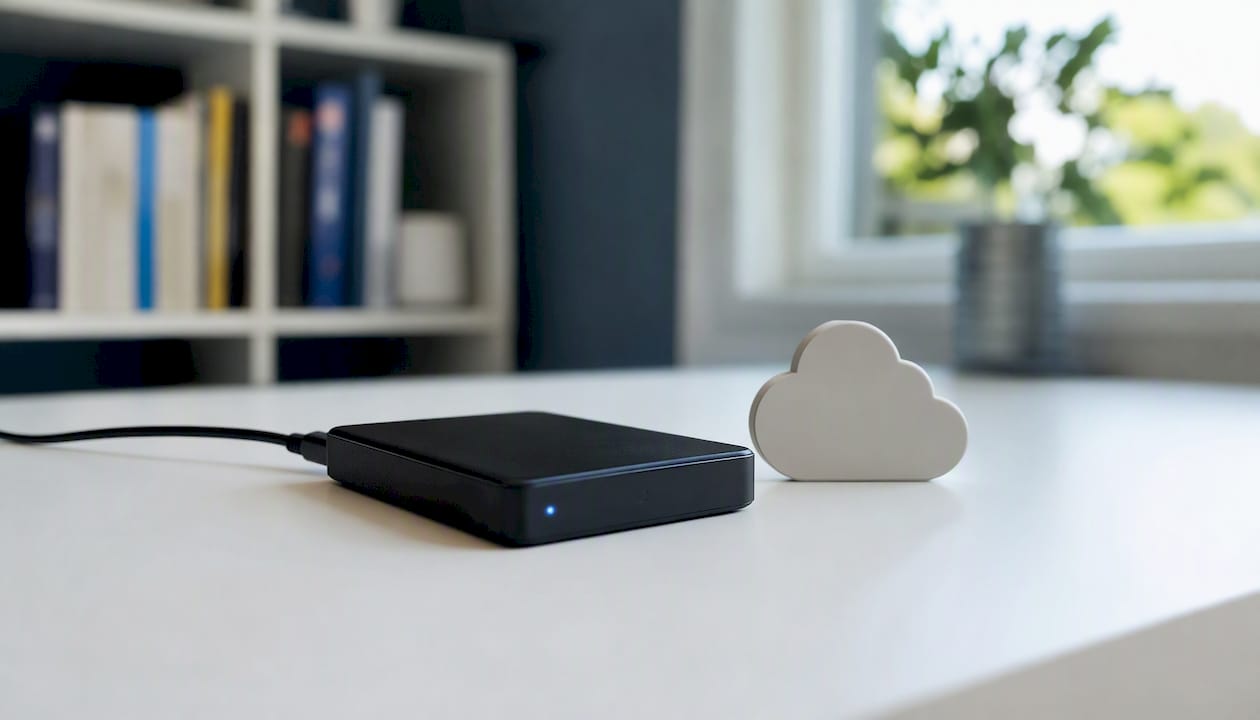
For cloud storage, choose a service with servers in the EU. That's relevant for the GDPR and for coaching data back-up: client files may not simply be stored outside Europe without additional arrangements.
Mobile devices and public wifi
- Set a PIN code or biometric lock on your phone and tablet.
- Enable automatic screen lock after a maximum of two minutes.
- Don't use a public wifi network to view or edit client data. Instead, use your phone's mobile data or a VPN (an encrypted connection).
- Encrypt your laptop's storage via BitLocker (Windows) or FileVault (Mac). That's a setting in your operating system and takes you ten minutes.
Pro tip: Make a short five-point checklist that you go through every three months: passwords changed, MFA active, backup tested, updates installed, data processing agreements up to date. Stick that checklist in your calendar as a recurring appointment.
What do you need to legally arrange as a freelancer under the GDPR?
The GDPR applies to everyone who processes personal data, including freelancers. As a coach, you process names, contact details and sometimes sensitive information about your clients. That means you need to have a number of things in order.
Mini checklist for your processing register
A processing register is an overview of all the personal data you process. The Chamber of Commerce explains what it must contain at a minimum and offers templates. For each processing activity, note:
- The purpose: why do you process this data?
- The category of data subjects: clients, employees, website visitors?
- Which data: name, email, phone number, session notes?
- Retention period: how long do you keep the data? Note the tax retention obligation of seven years for administrative data.
- Security measures: which technical and organisational measures have you taken?
- External recipients: which software providers or third parties receive this data?
Data processing agreement
Do you use software where a provider has access to client data? Then you are the data controller and the provider is the data processor. You are legally required to conclude a data processing agreement. This sets out how the provider handles your client data, which security measures they take and what happens in the event of a data breach. Keep the agreement in your processing register.
Data breach reporting: the 72-hour limit
A data breach is any incident where personal data is lost, unintentionally shared or accessed by unauthorised persons. Think of a stolen laptop with client files or a hacked email account. Document every incident, even if you don't have to report it.
In the case of a serious data breach, where the rights of data subjects are at risk, you must report it to the Dutch Data Protection Authority within 72 hours. Not sure whether an incident is reportable? Document it anyway and consult the AP website or a legal adviser.
| GDPR obligation | What you do | When |
|---|---|---|
| Processing register | Keep an overview of all data processing activities | At start and with every change |
| Data processing agreement | Conclude one with every software provider that processes client data | Before you start using the software |
| Privacy statement | Publish on your website or provide to clients | Before you collect data |
| Data breach reporting | Document and, if serious, report to the AP within 72 hours | Immediately after discovery |
| DPIA | Carry out a data protection impact assessment for high-risk processing | When applicable |
You can find more explanation about when a DPIA (data protection impact assessment) is needed and what rights your clients have on Ondernemersplein.
Which questions do you ask a software provider about security?
Not every tool that claims to be "secure" complies with the GDPR. Ask these questions before you put client data into a new system:
- Where are the servers located? Preferably choose a provider with servers in the EU.
- Is a data processing agreement available? If not, don't use the software for client data.
- Which security measures are in place? Think of data encryption, access security and regular security tests.
- Who has access to my client data? Support staff should only have access if it is strictly necessary and documented.
- What is the backup policy? How often are backups made and how quickly can you restore data?
Red flags are: no data processing agreement, no clear backup policy, support that has default access to client data without explanation, and servers outside the EU without additional arrangements.
Pro tip: Ask the provider for a concise security document or privacy statement. Keep that document in your processing register as evidence that you asked the right questions. The AP states that you must be able to demonstrate how your data is secured, and this document helps with that.
You can read more about what GDPR-aware coaching software should offer on the Exantur website. If you want to know which questions you can specifically ask about privacy by design, that article provides concrete criteria.
What do you do if a data breach or cyber incident happens anyway?
Stay calm and act quickly. Follow these steps:
- Stop the incident. Disconnect the affected device from the internet. Immediately change the passwords of accounts that may have been compromised.
- Secure evidence. Take screenshots of suspicious emails or notifications. Note the date, time and what you saw. Don't delete anything before your documentation is complete.
- Restore. Restore a clean backup. Check that the attack has been fully stopped before you put the device back into use.
- Inform those affected. If client data has been leaked, inform the clients concerned as soon as possible.
- Report to the AP if necessary. In the case of a serious data breach, you have 72 hours to report it to the Dutch Data Protection Authority. Use the reporting form on the AP website.
Practical examples: if your laptop is stolen, immediately change all passwords and activate the option to wipe the device remotely (available via iCloud for Mac or via your Google account for Android). In the case of a phishing attack that leads to account takeover, report this to the relevant service and check which data the attacker was able to access. In the case of ransomware, don't pay the ransom, but restore from your backup and report the incident to the government and possibly to the police.
The 72-hour limit for reporting to the AP applies to data breaches where the rights and freedoms of data subjects are seriously at risk. In doubt? Always document the incident and consult the AP website for the current criteria.
Which free tools and checks are available for freelancers?
You don't have to figure everything out yourself. There are reliable, free resources you can use straight away:
- CyberVeilig Check (via NCSC and DTC): a free online check for freelancers and SMEs. You answer a number of questions and receive a personal action list. Done in five minutes.
- NCSC basic principles: practical explanation of the five principles with concrete actions, available on Ncsc.
- Digital Trust Center: the DTC offers toolkits and information sharing for non-vital businesses, including material specifically for freelancers and SMEs.
- Dutch Data Protection Authority: the AP website contains practical explanations about your GDPR obligations, reporting data breaches and the rights of data subjects.
- Chamber of Commerce: the Chamber of Commerce offers templates for processing registers and explanations about GDPR obligations for entrepreneurs.
- Exantur's Coaching GDPR check: a free check that allows coaches to quickly assess whether their practice is set up in a GDPR-aware way.
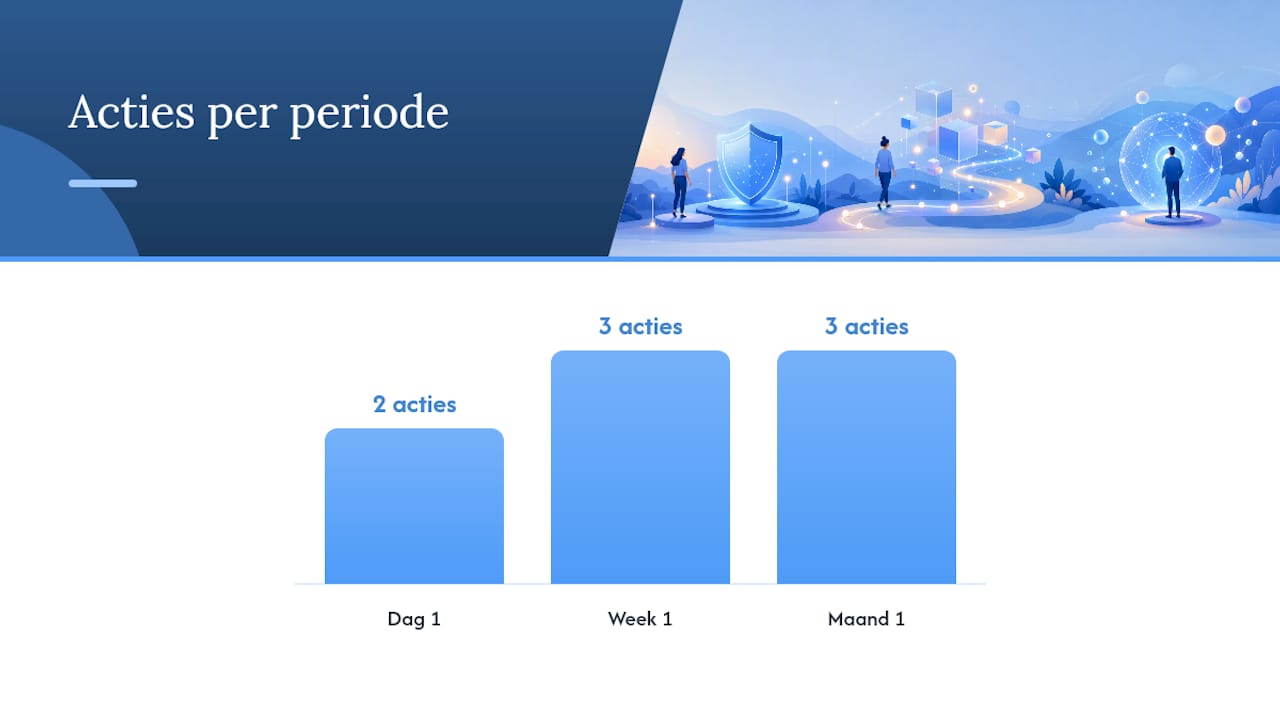
What do you do on day 1, week 1 and month 1?
| Timing | Action | Result |
|---|---|---|
| Day 1 | Check passwords and enable MFA for email and cloud storage | Immediate improvement of access security |
| Day 1 | Set up automatic backup and run a recovery test | Certainty that your data can be restored |
| Week 1 | Draw up or update your processing register | Overview of all data processing activities |
| Week 1 | Request data processing agreements from software providers | GDPR-compliant processing arrangements |
| Week 1 | Carry out a short risk analysis: what are your three biggest risks? | Priorities for further measures |
| Month 1 | Put your backup policy and incident procedure on paper | A clear plan for when things go wrong |
| Month 1 | Assess software providers on security questions | Insight into weak links |
| Month 1 | Follow a short training or learning module via NCSC or DTC | Awareness and recognition of threats |
- Do the CyberVeilig Check as the first step on day 1. It gives you a prioritised, tailored action list.
- Use the Chamber of Commerce templates for your processing register. That saves you an hour of searching.
- Schedule the month-1 review as a fixed appointment in your calendar, so it doesn't get left behind.
Pro tip: Link your security check to an existing habit, such as your quarterly close or your annual tax return. That way you won't forget it and you build a solid habit step by step.
What coaches often underestimate about data security
Most coaches I speak with think data security is something for large companies with an IT department. That's not true. It's precisely as a solo coach that you work with sensitive information, and you don't have a colleague who stops a suspicious email or checks a backup. You are the only link.
What I also see: coaches who do have a processing register, but no data processing agreement with their software provider. Or coaches who have a backup, but have never tested it. A backup you can't restore doesn't exist.
The good news: you don't have to be a technical expert. The NCSC's CyberVeilig Check gives you an action list within five minutes. The Chamber of Commerce has templates. And software like Exantur, built with EU hosting, encryption and a data processing agreement, takes away part of the technical burden. But software doesn't automatically make your practice GDPR-compliant. You remain responsible for your own processing register, your privacy statement and how you handle client data.
The goal is not perfection. The goal is resilience: that you've covered the most common risks and know what to do if something does go wrong.
Exantur helps coaches run a GDPR-aware practice
As a coach, you work with confidential client information. Exantur is coaching software for coaches built from the ground up with privacy as its starting point: EU hosting in Frankfurt, encryption, organisation isolation, MFA and a data processing agreement. Coaches manage client relationships, session notes, goals and accountability in a secure environment, without data being scattered across separate tools.
Exantur supports coaches with GDPR-aware data processing, but using the software does not automatically make a practice fully GDPR-compliant. You remain responsible for your processing register, privacy statement and incident procedure.
Try Exantur free for 14 days. Payment details are required at the start; you can cancel before the end of the trial period.
Sources
- NCSC
- Dutch Data Protection Authority — Security of personal data
- Chamber of Commerce — How to create a GDPR processing register
- Ondernemersplein — GDPR: what entrepreneurs must do
- Basic principles | NCSC
- Toolkit for partnerships | Digital Trust Center
Frequently asked questions
Does a freelancer need to keep a processing register?
Yes, if you process personal data as part of your work, the GDPR applies to you too. The Chamber of Commerce offers templates and explanations to get started quickly.
What is MFA and how do I enable it?
MFA (multi-factor authentication) is a second verification step when logging in, in addition to your password. You enable it via the security settings of your email or cloud storage, and then confirm your identity through an app such as Google Authenticator.
When do I have to report a data breach to the Dutch Data Protection Authority?
In the case of a serious data breach that puts the rights of data subjects at risk, you must report it to the AP within 72 hours. Always document every incident, even if reporting is not mandatory.
What is a data processing agreement and when do I need one?
A data processing agreement is a written arrangement with a software provider about how they handle your client data. You need one as soon as a provider has access to personal data that you process, such as with coaching software or cloud storage.
Can I use the CyberVeilig Check for free as a freelancer?
Yes. The CyberVeilig Check from the NCSC and DTC is available free of charge for freelancers and SMEs. After completing it, you receive a personal action list with priorities for your situation.