
Quenza or Paperbell: which platform fits your coaching practice?
Quenza or Paperbell: which platform fits your coaching practice?

For most professional coaches, an integrated workspace is the better choice than two separate tools. Exantur bundles program building, a client portal, and GDPR-aware hosting in Frankfurt into a single subscription. Quenza focuses mainly on program delivery with an activity builder and automated pathways. Paperbell puts its emphasis on bookings, contracts, and payments.
When you compare Quenza and Paperbell, you're really comparing two half-solutions: one strong in content, the other strong in administration. Anyone who wants both tasks in one workspace ends up at a platform like Exantur.
- Choose for program depth and client follow-up: Exantur or Quenza
- Choose for pure booking administration: Paperbell
- Want both without switching between tools: start Exantur's free 14-day trial
Key insights
The right software choice depends on what costs your practice the most time: program building, client follow-up, or administration, and Exantur covers all three in one workspace.
| Point | Details |
|---|---|
| Program delivery matters most | Choose a platform with assignment sequences and assessments if between-session work is your biggest time drain. |
| Pricing model follows your growth | A client cap is cheaper with a small caseload; a fixed amount for unlimited use wins as you grow. |
| Test real workflows during the trial | Set up a complete program and walk through the client portal yourself before you decide. |
| GDPR hosting is not a side issue | EU hosting with a data processing agreement directly affects the confidentiality of client information. |
| Exantur bundles the three tasks | Program building, client portal, and practice administration sit in one EU-hosted subscription with a free 14-day trial. |
Table of contents
- Quenza vs Paperbell: where's the real difference?
- How do you choose between Quenza, Paperbell, and Exantur?
- Does the interface work well for a Dutch coach?
- Does it connect to your existing payment and communication tools?
- What do you notice about customer support as a Dutch coach?
- Does it fit your type of coaching?
- What coaches often underestimate in this choice
- Exantur as an integrated workspace for your practice
- Sources
- Frequently asked questions
Quenza vs Paperbell: where's the real difference?
The comparison between Quenza and Paperbell isn't about which app is “better.” It's about which part of your work the platform solves. Coaches spend their time on three tasks: building and delivering the program, staying in touch with clients between sessions, and keeping the practice running with bookings and payments. Each platform is strong in at most two of those three.
Program delivery: who actually builds out the pathway?
Quenza is cited in comparative sources as strong in this area, with an activity builder and automated pathways (Pathways) that send assignments one after another. Comparable platforms also support assessment-driven follow-up steps: a client completes an assessment and the system automatically sends the appropriate follow-up assignment. That saves manual work with larger caseloads.
- Program building: can you build a pathway in steps with assignments, videos, and texts that automatically appear at the right moment?
- Assessments: are structured tools like a DISC profile or Wheel of Life built in, or do you need to link a separate form?
- Client portal: does the client have their own environment to review progress, assignments, and documents?
Exantur works from the same starting point, but links programs, assessments, and session notes to a single client record. Notes are recorded as observations, insights, breakthroughs, and action points, searchable per pathway.
Client interaction and progress between sessions
Platforms that support assignments and automation generally increase engagement between sessions. That's exactly the gap many coaches miss when they work only with email and spreadsheets. Check-ins, tracking goals, and accountability belong to this part: the client knows what's expected of them, even without weekly contact.

Practice administration: booking, paying, scheduling
Paperbell and comparable tools focus on checkout-style flows: choose a package, sign a contract, pay, all in one step. That works well for coaches who mainly want to bring in new clients quickly. Exantur handles the same practice side: online booking with automatic reminders, two-way sync with Google Calendar and Outlook, Zoom integration, and invoicing via your own Stripe account without Exantur taking a commission on it.
Pro tip: During a trial period, don't just test setting up a program, but also the client's perspective. Log in yourself as a test client and go through a check-in. That way you immediately see whether the experience feels too complicated for someone without a technical background.
The real trade-off point: a platform with deep program logic sometimes requires a bit more setup upfront. A purely admin-focused tool is quicker to set up, but often lacks the assignments and assessments that make your pathway more substantive.
How do you choose between Quenza, Paperbell, and Exantur?
Before you sign up for a subscription, it helps to answer three questions for yourself. They determine which platform actually matches how you work now, and how you want to work a year from now.
- How many active clients do you have, and is that number growing? With five clients, every platform is affordable. With thirty clients, the pricing model suddenly matters a lot more.
- How much between-session work do you want to automate? Do you want an assessment to automatically trigger a follow-up assignment, or do you prefer to send everything manually yourself?
- How important is a GDPR-aware setup with a data processing agreement? If you work with sensitive client information, EU hosting isn't a side issue but a requirement.
The pricing model makes the difference here. Some platforms work with tiers tied to a maximum number of clients, others with a single fixed monthly amount for unlimited use. With a small, stable client base, a tier with a client cap is usually cheaper. If your practice grows quickly, a fixed amount for unlimited use becomes more advantageous at some point, even though the entry price seems higher.
Statistic to remember: comparative sources advise coaches to actually use trial periods of 14 to 30 days to test concrete workflows, rather than just looking at the interface.
In a trial account, test at least four things: setting up one complete program from start to finish, the client's experience in the portal, a test payment via your own payment account, and whether your client data can be exported for your bookkeeping or for supervision. A platform that offers everything on paper but feels sluggish in practice will ultimately cost you more time than it saves.
Pro tip: During the trial, set up a small but complete pathway, including one assessment and one automatic reminder. That way you discover within a day whether the setup fits your working style, instead of running into limitations after three weeks.
Does the interface work well for a Dutch coach?
None of these platforms was originally developed in Dutch, but that doesn't mean the user experience feels the same. Coaches who don't want to spend much time on technical settings benefit most from a clear home screen: one place where your clients, programs, and calendar come together.
Exantur is built with a calm, blue look and clear screens, so you don't have to read a manual first to open a client record. For coaches without a technical background, that makes a real difference: fewer clicks, less searching for where a feature is hidden.
A client portal has to be just as simple as the coach's side. Clients who struggle with logging in or complicated menus use the app less. That directly affects engagement between sessions. So during a trial period, don't just look at your own screen, but also at the screen your client will see.
Does it connect to your existing payment and communication tools?
Most coaches already work with a calendar, a video calling tool, and a way to get paid. The question is whether your new platform connects to those seamlessly, or whether you'll have to retype things manually after all.
Exantur syncs both ways with Google Calendar and Outlook, integrates with Zoom for remote sessions, and processes invoicing via your own Stripe account. Because payment runs through your own account, you keep track of incoming payments yourself, without a commission being taken from every transaction.
With any platform, pay attention to exactly where the money flows through. With some booking-focused tools, payment runs through the platform itself, which can be handy for quick checkout but gives less insight into your own bookkeeping. For coaches who invoice companies, a direct connection to your own payment account is usually more comfortable: the invoice is in your name, not that of the software provider.
What do you notice about customer support as a Dutch coach?
Support is an underestimated criterion for many coaches until something goes wrong, for example a client record that won't sync or a payment that gets stuck just before a session. The speed and tone of customer support then determine how much stress you experience.
Larger American platforms often work with support hours that don't align with Dutch working hours. A question you ask in the morning sometimes only gets an answer in the evening. For a coach with a session that afternoon, that's too late.
Exantur is built by a small, independent European team. That means no call center with rotating staff, but direct lines to people who built the product themselves. For coaches who occasionally have a specific question about, say, the data processing agreement or a setting in the client portal, that closeness makes the difference between waiting a day and being able to move on within a few hours.
Does it fit your type of coaching?
Not every form of coaching places the same demands on software. A life coach often works with longer pathways, lots of reflection exercises, and accountability between sessions. There, program depth, assessments, and a pleasant client portal matter most. Platforms that are strong in automated assignment sequences, as Quenza is described, fit that well, as does Exantur with its structured notes per breakthrough and action point.
A business coach or team coach more often works with multiple stakeholders: a participant, a manager, sometimes an HR department that wants to see reports. There, multi-user functionality and organization-level overview matter more. Larger practices and coaching organizations need teams and roles, 360° feedback, and reporting on the progress of a whole group of participants, functionality that Exantur offers specifically for this scale.
For coaches who mainly want to sell individual sessions quickly, without an extensive pathway structure, a booking-focused tool like Paperbell is sometimes sufficient. The downside: as soon as you want more depth in the guidance between sessions, you run into the limits of a purely administrative system.
What coaches often underestimate in this choice
The biggest pitfall I see isn't the choice between two platforms. It's stacking three or four separate tools because none of those tools does everything. A booking tool here, a separate form for assessments there, a spreadsheet for progress. Every connection you have to maintain yourself is one more place where something can break, and one more password to manage.
Coaches who switch to one integrated workspace mainly win back time in places where they don't expect it: no more retyping client data between systems, no more keeping duplicate calendars. That's a gain you only notice once you no longer need it.
GDPR-aware hosting is often seen as a compliance checkbox, but it touches the core of your profession. You store sensitive information about people's inner worlds. Knowing that data is stored in Europe, with a data processing agreement and security measures such as multi-factor authentication, is not an unnecessary luxury.
— Martijn
Exantur as an integrated workspace for your practice
Exantur is the more direct route to a fully set-up coaching practice, without having to spread program delivery, client administration, and bookkeeping across three tools. You build pathways with structured steps, use assessments such as a DISC profile or Wheel of Life, and record sessions in searchable notes with observations, insights, breakthroughs, and action points.
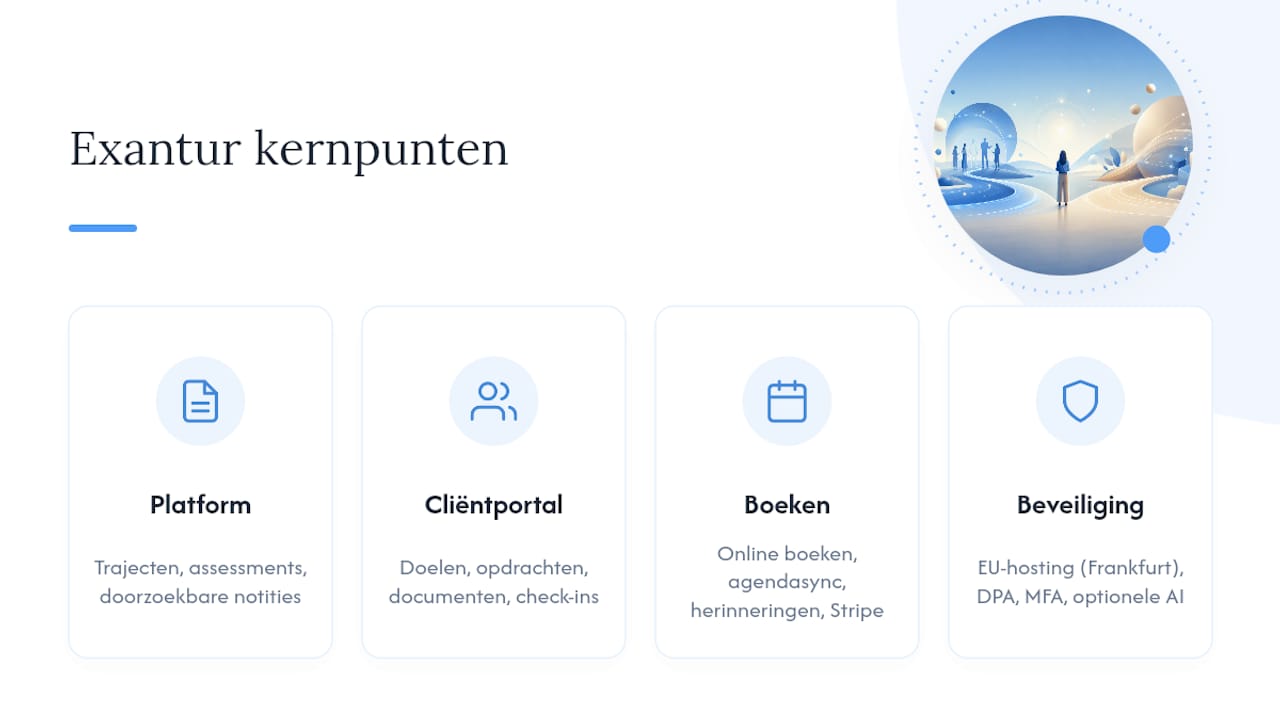
Clients get their own coaching client portal to view goals, assignments, and documents and to complete check-ins. Around the coaching itself, Exantur handles online booking with automatic reminders, calendar sync, Zoom integration, and invoicing via your own Stripe account without commission. Everything runs on EU hosting in Frankfurt, with a data processing agreement and multi-factor authentication as a standard part. An optional AI assistant can draft session summaries and reports from your own notes, without sharing client-identifying information.
This fits best with solo coaches and small practices that are growing and are tired of switching between separate apps. If you're unsure whether it matches your client numbers and working style, use the stack calculator to compare your annual costs, or start the free 14-day trial. After the trial, the chosen paid subscription starts automatically unless you cancel beforehand.
Sources
Frequently asked questions
Is Quenza better than Paperbell for coaches?
It depends on your priority: Quenza is cited as stronger in program delivery with an activity builder and automated pathways, while Paperbell focuses on bookings, contracts, and payments.
Roughly what does Quenza cost per month?
One comparative source cites starting prices around $25 per month for Quenza, with prices varying depending on the chosen plan.
Is Exantur an alternative to Quenza and Paperbell?
Yes, Exantur combines program building, client interaction, and practice administration in one workspace, with EU hosting and a data processing agreement as part of the setup.
What is the difference between client-capped and flat unlimited pricing?
Client-capped tiers charge based on a maximum number of clients and are cheaper with a small caseload, while flat unlimited charges a fixed amount that works out better as you grow.
How do I test which platform fits my practice?
In a trial account, set up a complete program, walk through the client portal as a test client, process a test payment, and check whether your client data can be exported.