
Reminders between sessions: how to keep your client moving
Reminders between sessions: how to keep your client moving
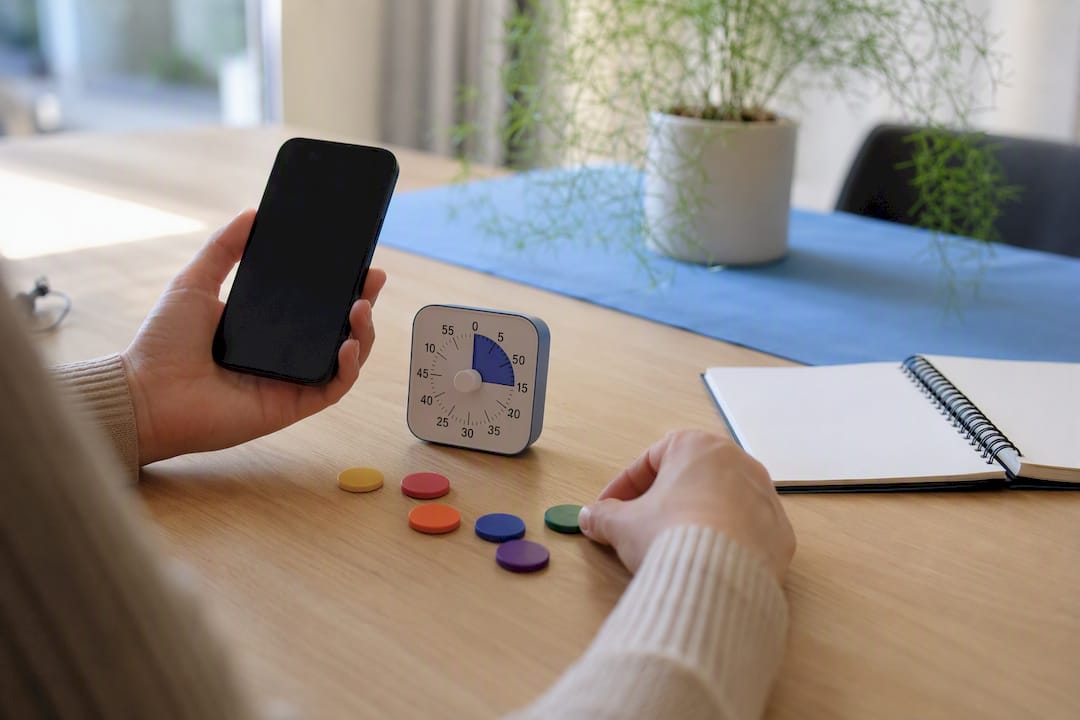
Use short, context-based reminders that are directly tied to a concrete action, and consistently ask for feedback throughout the process. That's the core of it. A reminder only works when motivation, ability, and the right moment come together, according to the Fogg Behavior Model. Systematic client feedback increases the likelihood of results, especially in the early stage of a process, according to research into this type of feedback. A tool like Exantur makes this achievable without having to track everything manually.
The main formats at a glance:
- A short SMS or push notification for a concrete micro-action
- Email for slightly more extensive tasks or summaries
- Check-ins for progress and reflection between sessions
- Visual cues such as a note or photo as a memory aid
A reminder is not a control mechanism. It's a small nudge at the moment a client needs it, not when it suits you.
Key insights
Reminders between sessions work best when they link concrete actions to the right moment and are consistently supplemented with short feedback moments.
| Point | Details |
|---|---|
| Choose the right channel | Use SMS or push for short actions, email for more extensive tasks, and check-ins for progress. |
| Link action to timing | Send the first reminder within 24 hours after the session, when motivation is highest. |
| Build up frequency gradually | Start with one reminder per week and only increase after a positive response. |
| Measure in the first three months | Expect the greatest effect early in the process and adjust afterwards based on data. |
| Sort out privacy in advance | Ask for explicit permission, limit data storage, and choose a provider with EU hosting. |
| Use one central workspace | Exantur combines check-ins, accountability, and a client portal with GDPR-focused hosting. |
Table of contents
- Which types of reminders work best between sessions?
- How do you design a reminder that actually leads to action?
- What features should a reminder tool have?
- How do you set this up step by step in your practice?
- How do you measure effect and when do you adjust?
- What do you need to arrange regarding privacy and the GDPR?
- What does research say about reminders and client feedback?
- Managing reminders without separate apps side by side
- Sources
- Frequently asked questions
Which types of reminders work best between sessions?
Each form of reminding has its own strength. SMS and push notifications work excellently for short, time-bound actions: "do ten minutes of breathing exercises today" lands better than a long email. Email, on the other hand, suits something that requires explanation, such as a reflection task with multiple steps.
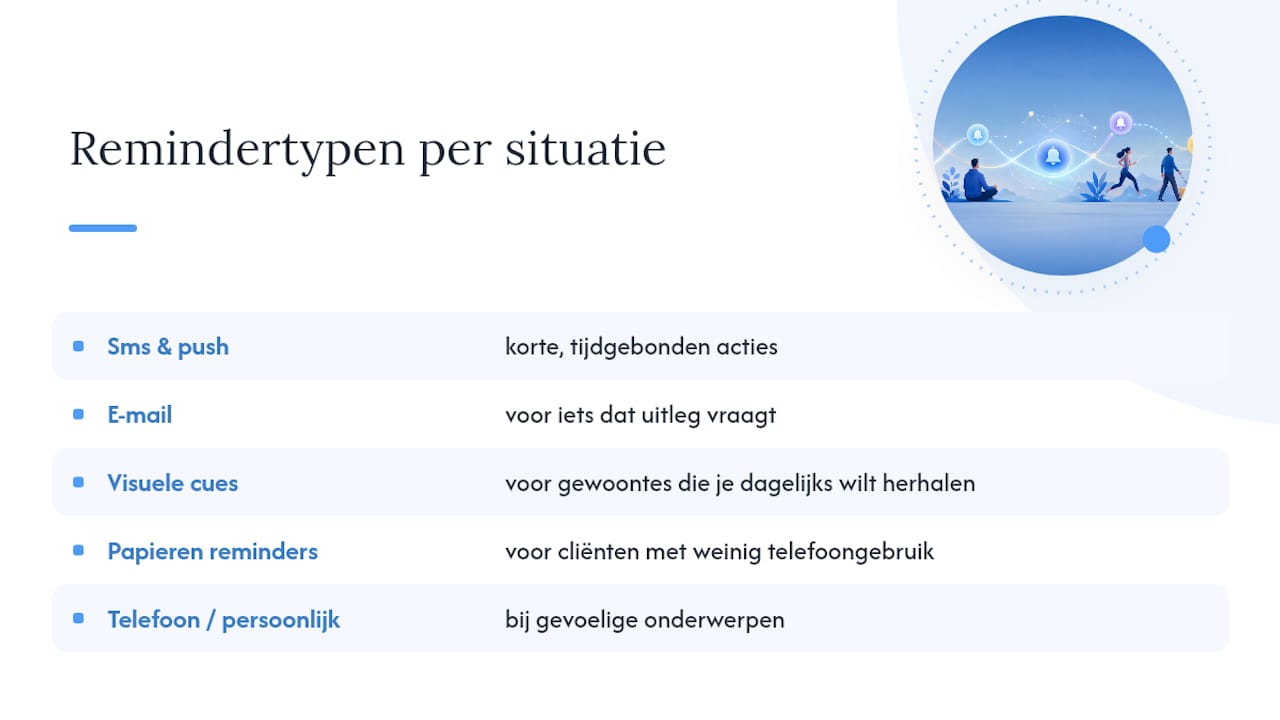
Check-ins are more powerful than standalone notifications because they ask for a response. A client who briefly answers "how did it go with your sleep ritual this week" feels seen and stays more actively engaged. Visual cues, such as a photo on the fridge or a note on the bathroom mirror, work well for habits you want to repeat daily. Paper reminders remain relevant for clients who use their phone little or deliberately seek digital calm.

Opt for human contact via a phone call or personal message for sensitive topics. Automate the routine reminders instead: those otherwise cost you too much time.
Pro tip: With a new client, always combine one automated reminder with one personal check-in per week. That way the approach never feels cold, but you also don't have to remember everything yourself.
How do you design a reminder that actually leads to action?
A good reminder is short, concrete, and linked to an achievable action. "Think about your goals" doesn't work. "Write down three things that went well tonight" does. This aligns with what research into concrete action planning in coaching shows: clients experience more progress when an action is formulated together and concretely.
Where possible, work with if-then plans: "if I sit down after dinner, then I first open my journal." This link to an existing moment lowers the threshold enormously, exactly as the Fogg model predicts about timing and context.
Build up the frequency gradually. Start with one reminder per week, measure the response, and only increase when you see a client actively responding. Too many notifications backfire and quickly feel like control.
Three situations, three example messages:
- After a task: "You wanted to do your breathing exercise three times this week. How's it going?"
- Before an appointment: "Our session is tomorrow at 2:00 PM. Will you bring your notes from this week?"
- Before a check-in: "Quick question: how did you feel today on a scale of 1 to 10?"
Pro tip: Always send the first reminder within 24 hours after the session. That moment still connects to the conversation and motivation is at its highest then.
What features should a reminder tool have?
Not every feature adds value. Focus mainly on what truly contributes to engagement between sessions, and don't be tempted by unnecessary extras.
What to look out for:
- Check-ins directly linked to a specific goal or action point
- An overview for you as a coach of which actions are open and which are completed
- Personalization per client: tone, frequency, and type of reminder adjustable
- Reporting that shows how a client develops over time
- Clear agreements about data storage and consent
Be critical of features that mainly impress but add little, such as excessive gamification or endless notification settings. Also consider the privacy side: where is the data stored, is there a data processing agreement, and do you ask for explicit permission before reminding a client via SMS or email.
The best tool is not the one with the most features, but the one that fits exactly how you work and what your client needs.
A client portal with accountability features makes this much clearer in practice than separate apps side by side.
How do you set this up step by step in your practice?
Start small and build up. This prevents you from overwhelming your clients and losing yourself in settings.
- Ask for permission and explain why. Briefly explain why you use reminders and through which channel.
- Formulate the action together during the session. Write down the concrete step literally, not vaguely.
- Set the reminder directly in your tool. Choose timing and frequency based on the action itself.
- Test one cycle and ask for feedback. Was it too much, too little, at the right moment?
- Adjust and repeat. Small adjustments per client work better than a fixed template for everyone.
For new clients, simply include this in the onboarding and practice management with advice and coaching. For existing processes, introduce it as extra support, not as an obligation. Record this in your session notes so you can always look back at which agreement belongs to which reminder.
- Always ask for explicit permission before you start
- Link every reminder to a concrete, previously discussed action
- Keep a close eye on responses during the first month
How do you measure effect and when do you adjust?
Look not only at whether a message was opened, but especially at whether the agreed action was carried out. Relevant metrics include response speed to check-ins, the percentage of completed actions, progress scores per goal, and the number of missed appointments.
Expect the greatest improvement in the first three months. A randomized study into systematic feedback in outpatient treatment showed that the majority of improvement occurs precisely in that early phase.
In the first three months of a process, the effect of systematic feedback and well-timed reminders is most clearly visible.
Collect data, test simple variations such as a different time or a shorter text, and simply ask your client directly whether the reminders still fit what they need.
What do you need to arrange regarding privacy and the GDPR?
Reminders quickly contain personal information, so treat them just as carefully as your session notes. Ask for explicit permission for the channel you use and record what you use the data for, no broader than necessary.
- Ask for explicit permission per channel, not one general checkbox
- Store only what you need, delete the rest
- Choose a provider with EU hosting and a data processing agreement
- Avoid sensitive content in unsecured SMS or regular email
- Keep track of who has access to client data
Software helps you handle data more consciously, but doesn't automatically make your practice fully GDPR-proof. That responsibility remains with you.
Unsure about a specific situation, for example with minor clients or medical data? Then simply seek legal advice before implementing a new system.
What does research say about reminders and client feedback?
Research into the Partners for Change Outcome Management System shows that consistently asking about progress improves the outcome of a process, with the strongest effect early in the process. A clinical project in which coaching was combined with a mobile reminder app showed a clear increase in treatment adherence after implementation.
The key message: reminders work best in combination with regular, short feedback moments, not as a standalone trick.
- Consistently ask for short feedback, not just at intake
- Use reminders most intensively during the first months
- Combine technology with a short personal contact moment
Technology alone changes little. Only in combination with guidance and feedback does a noticeable effect emerge.
What coaches notice in practice
Coaches who link reminders to one concrete action see clients respond faster than with general motivational messages. Keep it small and personal, that works best.
Managing reminders without separate apps side by side
Many coaches first try this with a calendar app, a separate note-taking program, and manual text messages. That works for a while, until you have twenty clients and lose track. Exantur brings check-ins, accountability, and client data together in one workspace, so you no longer have to remember who still has to complete which action.
Clients get their own client portal where they see goals, fill in check-ins, and find their tasks. You see in one overview which appointments are open and where a client needs extra attention. Data is stored on EU servers at Exantur, with a data processing agreement as part of the offering.
Want to see how this would work in your practice? Check out the practice management software for coaches and start the free fourteen-day trial period.
Sources
For those who want to dig deeper: the studies on systematic client feedback, the Fogg Behavior Model, and the research into coaching with reminder apps form the basis of this article.
- Partners for Change Outcome Management System (PCOMS) / systematic client feedback — PMC
- Effect of systematic client feedback in outpatient treatment — Leiden University
- Fogg Behavior Model — Stanford Behaviour Design
- Intervention with coaching and mobile reminder app (Dosecast) — clinical project
- Aspects of the coach-client relationship and concrete action planning — Progressiegericht werken
Frequently asked questions
How often should I send reminders without being pushy?
Start with one reminder per week and adjust the frequency based on your client's response. Too many notifications often backfire.
Does SMS work better than email for reminders between sessions?
SMS and push notifications work better for short, time-bound actions, while email is more suitable for more extensive tasks that require explanation.
When will I see results from reminders and check-ins?
Most improvement occurs in the first three months of a process, according to research into systematic client feedback.
Do I need to ask permission before sending reminders?
Yes, always ask for explicit permission for the channel you use and explain what you use the data for.
Can a tool like Exantur combine reminders and check-ins?
Exantur offers check-ins, an accountability overview, and a client portal in one workspace, with EU hosting for your clients' data.