
Which coachee communication channels should you choose as a coach?
Which coachee communication channels should you choose as a coach?
Use a secure coachee portal as your fixed foundation, supplement it with video calls for sessions and automatic calendar reminders for scheduling. Use email only for brief arrangements, not for notes or assignments. Make sure multi-factor authentication (MFA), an extra security step in addition to your password, is enabled by default. This combination is supported within a single workspace.
In short:
- A secure coachee portal with MFA should form the foundation for all documents, assignments and progress information, because it prevents the most risks of data breaches.
- For digital sessions, it is essential to use a secure, encrypted video link with a waiting room, so no one can join unannounced.
- Email may only be used for logistical communication, while sensitive notes and assignments should be shared via the portal to comply with GDPR requirements.
- In case of a data breach, you must report it to the Dutch Data Protection Authority within 72 hours and actively inform the coachee in case of high risks, depending on the security of your tools.
- Choose software that is hosted in the EU, offers MFA and has a data processing agreement, to make your practice GDPR-compliant and minimize the risk of data breaches.
Table of contents
- What types of coachee communication channels are there?
- What does the GDPR require of your communication with coachees?
- How do you set up each channel in practice?
- How do you choose the right software for your practice?
- How does Exantur bring these channels together?
- A personal note from Martijn
- Where can you explore Exantur or start a trial?
- Sources
- Frequently asked questions
What types of coachee communication channels are there?
Each channel plays a different role in the track. Some are suitable for sensitive information, others only for logistics.
- Coachee portal: the central place where the coachee can find documents, assignments and progress. Everything stays linked to the right track, so you don't have to search through loose folders or chats.
- Video: the best alternative to an in-person session. Pay attention to a digital waiting room and a unique session link, so no one joins unannounced.
- Messages or chat: handy for a quick check-in between sessions, but less suitable for sensitive content such as session notes.
- Email: fine for confirming an appointment, risky as soon as it contains substantive notes or assignments.
- Forms and assessments: intake questionnaires, a DISC profile or a Wheel of Life belong directly in the client file, not loosely in a mailbox.
- Calendar with automatic reminders: reduces no-shows and keeps the coachee engaged in the track, even between sessions.
In practice, a coachee portal often replaces separate tools for documents, chat and scheduling, and gives the coachee a fixed place to track their own progress, as can also be seen in practice with client portals.
What does the GDPR require of your communication with coachees?
The GDPR is the European privacy law that governs how you handle your coachees' personal data. A few rules always apply, even if you only have a handful of clients.
If a data breach occurs, for example because you send a session note to the wrong email address, you must report it to the Dutch Data Protection Authority within 72 hours. In case of a high risk, you also inform the coachee themselves.
A statistic to remember: the 72-hour reporting period starts running as soon as you discover the breach, not once it is resolved. Anyone who does not use a secure system and handles everything via loose emails runs that risk faster than someone who works with a portal.
Standard email is not prohibited, but the Dutch Data Protection Authority advises appropriate measures such as encryption of attachments as soon as the content becomes sensitive.
A few practical measures you can take yourself are:
- Enable MFA on every account that contains client data.
- Give access only to those who really need it, so no shared login credentials.
- Actively request consent before you process data and don't process more than necessary.
- Be open with your coachee about where their data is stored and who can access it.
Privacy is not a one-off project you tick off. It is a recurring habit, and it is precisely that habit that strengthens trust in the coaching relationship.
How do you set up each channel in practice?
Theory is one thing, but what changes in your settings today? Go through this list for each channel.
- Coachee portal: set it up with documents, assignments and a progress overview. Give the coachee access only to their own file, not to other tracks.
- Video: use a fixed, encrypted meeting link per session and enable a waiting room. Explain to your coachee in one sentence how to log in, before the first session begins.
- Email: limit it to confirming time and date. As soon as you share a note, assignment or assessment, do so via the portal.
- Messages: use chat only for short, practical questions such as "can we shift by ten minutes?". For anything substantive, switch to the portal.
- Forms and assessments: have intake forms and tests such as DISC or Wheel of Life land automatically in the file, so you always find the latest version.
- Calendar reminders: link your calendar to Google Calendar or Outlook and send a reminder well in advance, plus optionally a short reminder just before the session.
Pro tip: Explain in one short email to a new coachee why you work with a portal and not with loose emails. That thirty-second explanation prevents months of confusion.
Insiders recommend strictly limiting email to logistics, so that retention periods and access rights remain verifiable in one system rather than scattered across mailboxes.
How do you choose the right software for your practice?
Not every tool that claims to be "secure" actually is. A few questions separate a serious solution from a fun but risky app.
- Where is the data stored and does the provider offer a data processing agreement? This document sets out who is responsible for your client data.
- Is MFA available by default and can you manage access per user?
- Does the software contain a portal, assessments, session notes and calendar integration in one environment, or do you still have to switch between apps?
- Can your coachee use the tools easily without a half-hour explanation, and do you get quick answers to your questions yourself?
- Can you first test the software with a trial or demo before you switch?
Use the GDPR checklist for coaches as a guide during that test, so you don't discover afterwards that a setting is missing.
How does Exantur bring these channels together?
There is practice management software built specifically for solo coaches and small coaching practices. Everything around a coaching track is in one workspace: from intake to session note to progress.
Coachees often get their own portal with goals, assignments, documents and a preparation for the next session. Intake forms and assessments such as DISC and Wheel of Life are linked directly to the client file, as are session notes recorded as an observation, insight or action point. Calendar synchronization with Google Calendar and Outlook, plus Zoom integration, can handle scheduling without loose links having to be emailed around.
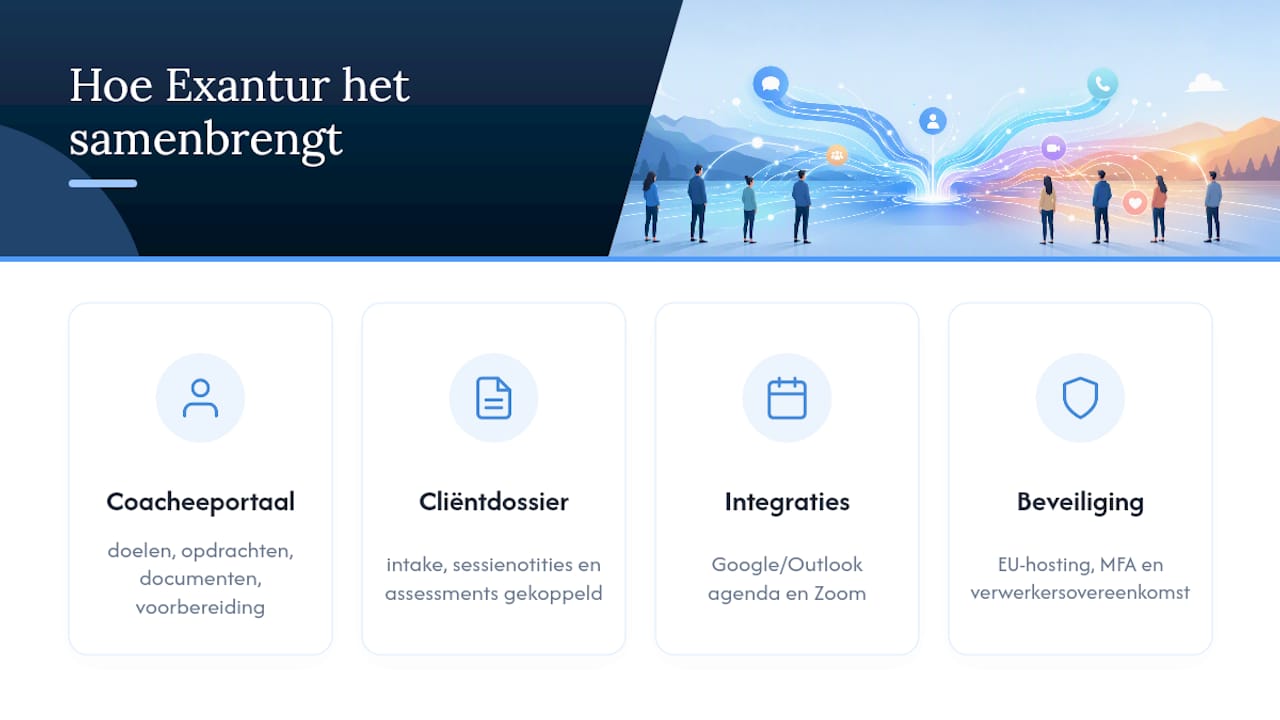
The software is hosted in the EU and works with MFA and a data processing agreement. That helps with the GDPR requirements, although the coach remains responsible for a GDPR-compliant practice.
A personal note from Martijn
What I keep seeing: coaches who use five tools side by side lose both time and overview. Start small. Choose a portal as your fixed hub, explain to your coachee in one sentence how it works, and enable MFA right away during the first setup, not as a "do it later" task. Privacy only becomes a habit when you build it in before your first coachee logs in.
— Martijn
Where can you explore Exantur or start a trial?
Keeping separate chat apps, email and a calendar side by side works, until it goes wrong with a sensitive note. It is possible to combine all those channels in one workspace, built specifically around the coaching process rather than a general CRM. First go through the GDPR checklist for coaches and then test for yourself how the coachee portal, calendar synchronization and session notes work together during the free 14-day trial. View the plans, including Mini from €19 per month, and start the trial via the page of Exantur for coaching practices in the Netherlands.
Sources
- How to report a data breach | Dutch Data Protection Authority
- Protect your coachees' privacy: A guide for coaches | Privacy Zeker
Frequently asked questions
Which coachee communication channels are the safest?
A secure coachee portal is the safest option for documents, notes and assignments, supplemented by video for sessions. Use email only for scheduling appointments, not for substantive information.
May I use email for session notes?
That is not advisable. The Dutch Data Protection Authority requires appropriate security measures for sensitive data, and standard email often does not provide these.
How quickly must I report a data breach?
You must report a data breach to the Dutch Data Protection Authority within 72 hours of discovery. In case of a high risk, you also inform the coachee involved.
What is MFA and why do I need it?
MFA stands for multi-factor authentication, an extra verification step in addition to your password, for example a code on your phone. It prevents anyone from accessing client data with just a stolen password.
What does Exantur cost if I want to switch?
Exantur offers, among others, the Mini plan from €19 per month and Starter from €49 per month, with a free 14-day trial. All current plans are listed on the pricing page.